UTM Builder
Your campaign links, kept on your own website. Make short links on your own domain that count their clicks, keep every link tagged the same way with presets, and build hundreds of links for a campaign at once. It’s free, with no account to sign up for.
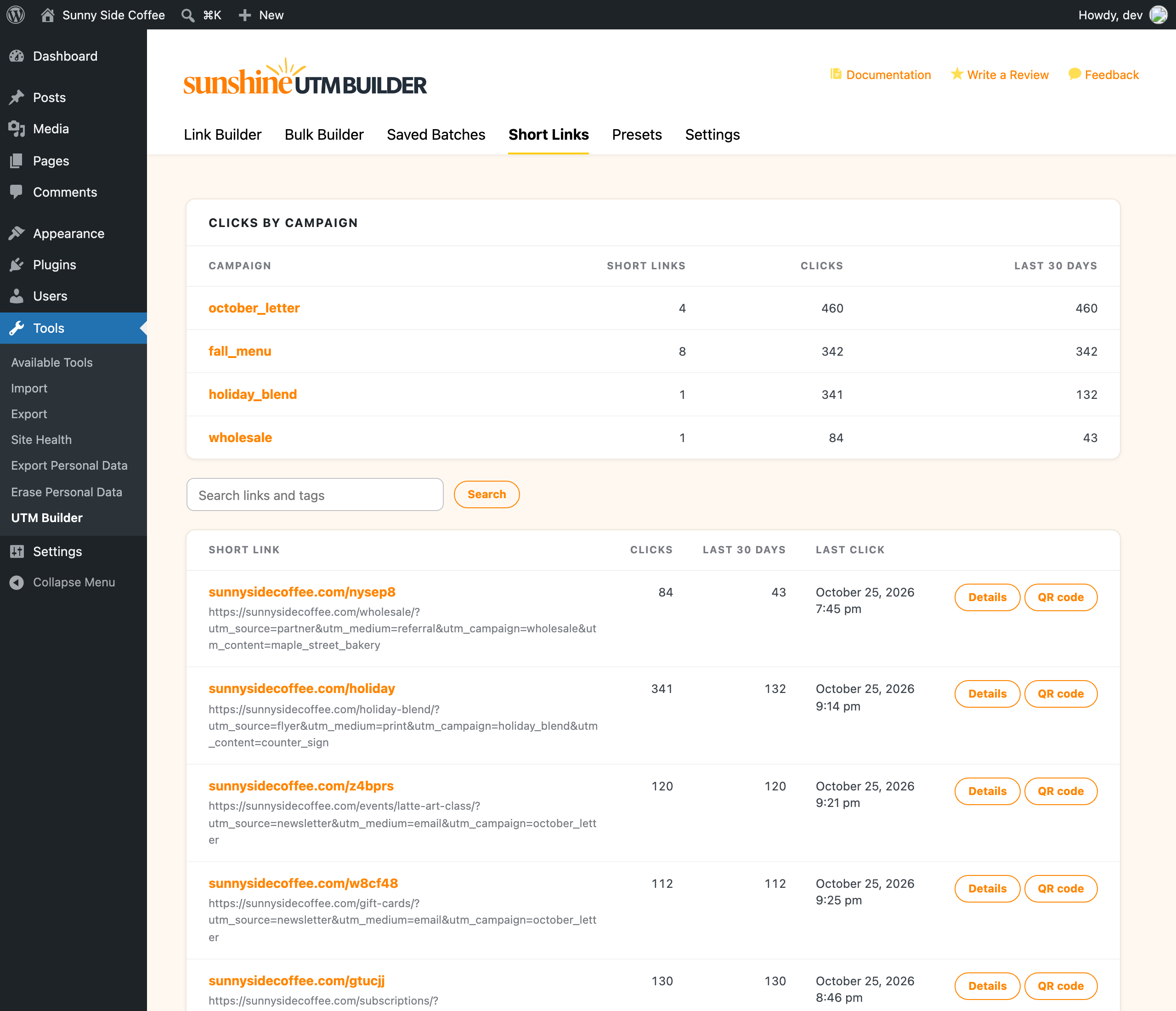
- Short links on your own domain, with click counts for every link
- Presets and team lists keep every link tagged the same way
- A whole campaign's links at once, saved so you can find them later
UTM links for everything you share
Newsletters, social posts, ads, partners and print, all tagged the same way and kept on your own site.

Your newsletter
A preset tags every link in this week’s email the same way, with the date filled in, so each issue shows up as its own campaign in GA4.

Social posts
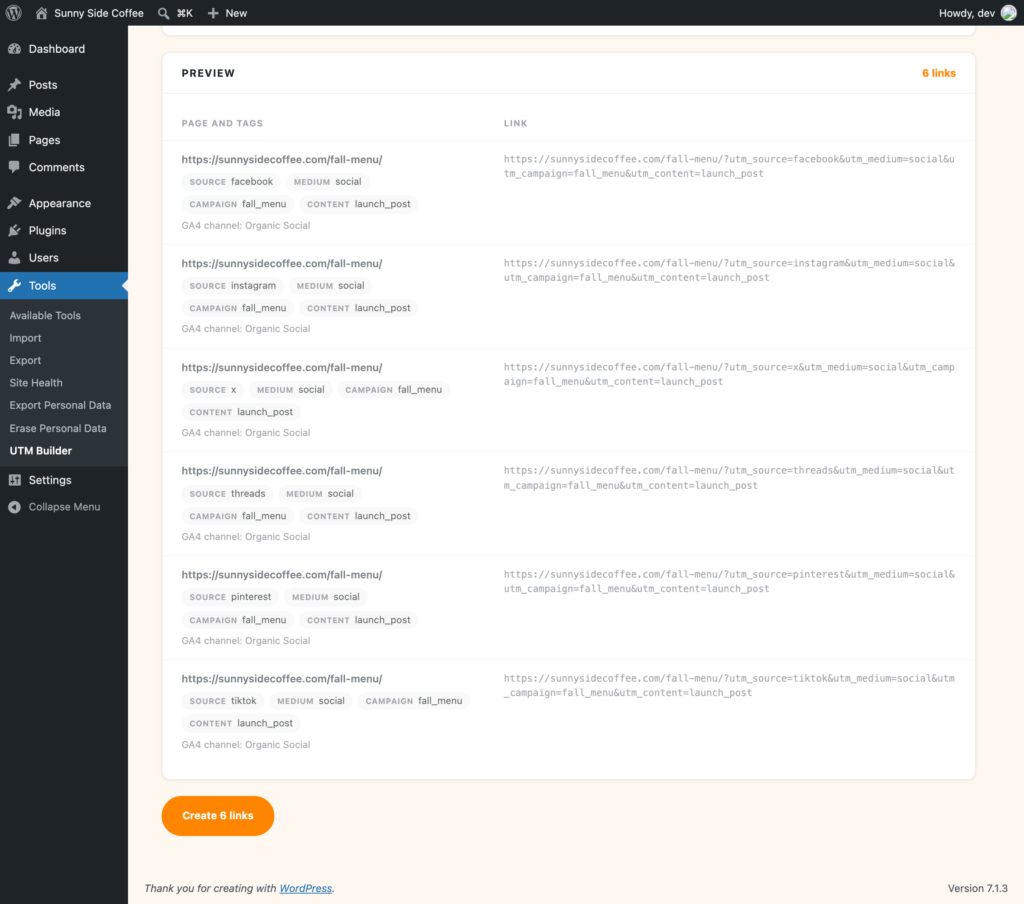
One link per network for the same post, made in one go, as short links on your own domain that count their clicks.

Flyers, menus and signs
Print a QR code made from a short link, and the scans count as clicks. If the offer changes, point it somewhere new without reprinting.

Ad versions
List a few headlines and audiences and get a tagged link for every combination, so you can see which version brought the visits.

Partners and guest posts
Give each partner their own short link and see how many clicks each one sent you, by day.

Your whole team
Everyone who logs into the site shares the same presets and spellings, and a link with a source that isn’t on the list doesn’t get made.
Short links on your own domain instead of bit.ly
A short link like yourdomain.com/spring-sale looks like your business, so people know where it goes before they click. The plugin makes them on your own domain, with a random ending or one you choose, and there’s no outside service, account or monthly limit.
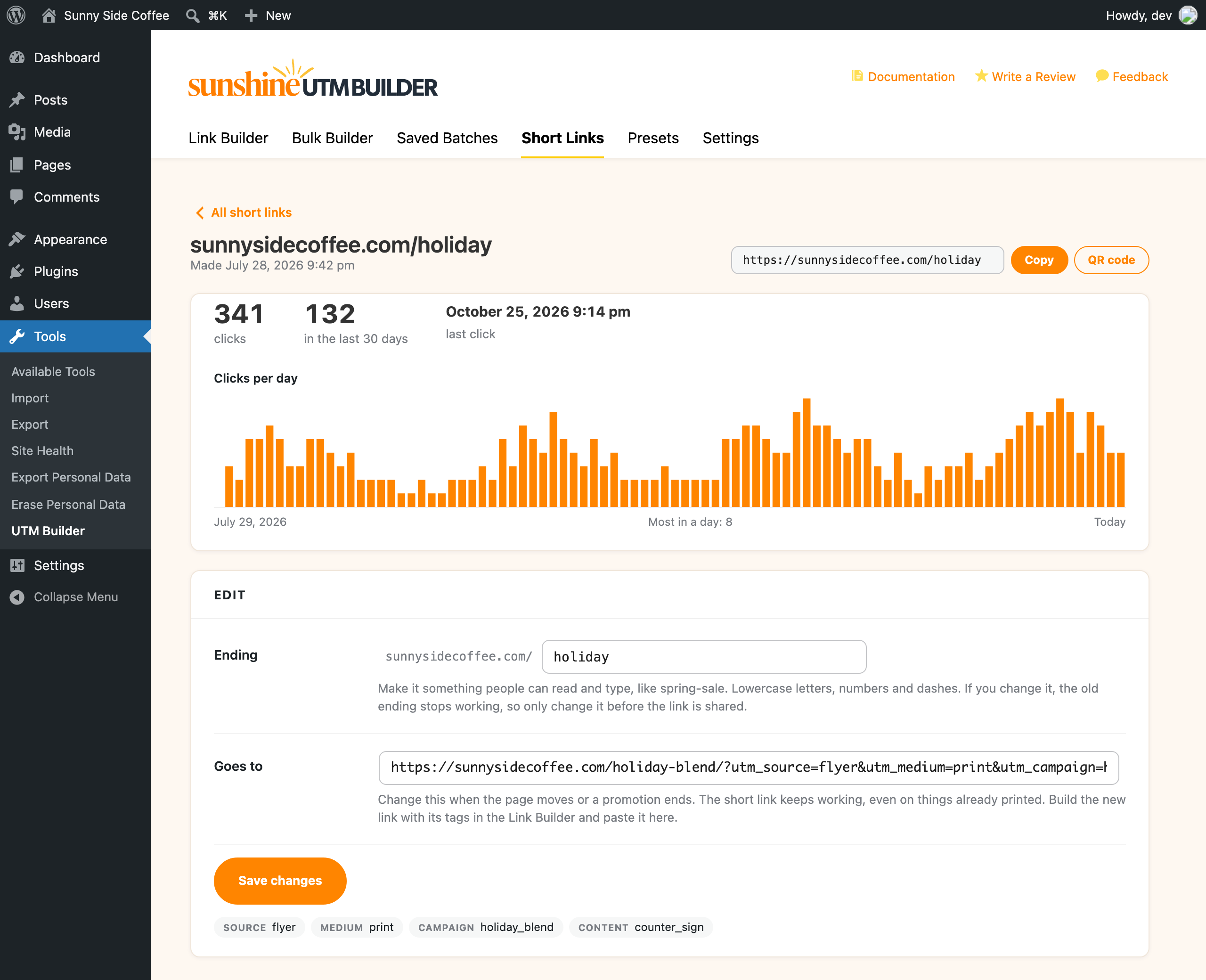
If a page moves or a promotion ends, change where the short link goes and every copy of it keeps working, including the ones already printed on a flyer or sent in last month’s email. Short links don’t slow down the rest of your site either, since a normal page view never looks them up.
Click counts for every link and every campaign
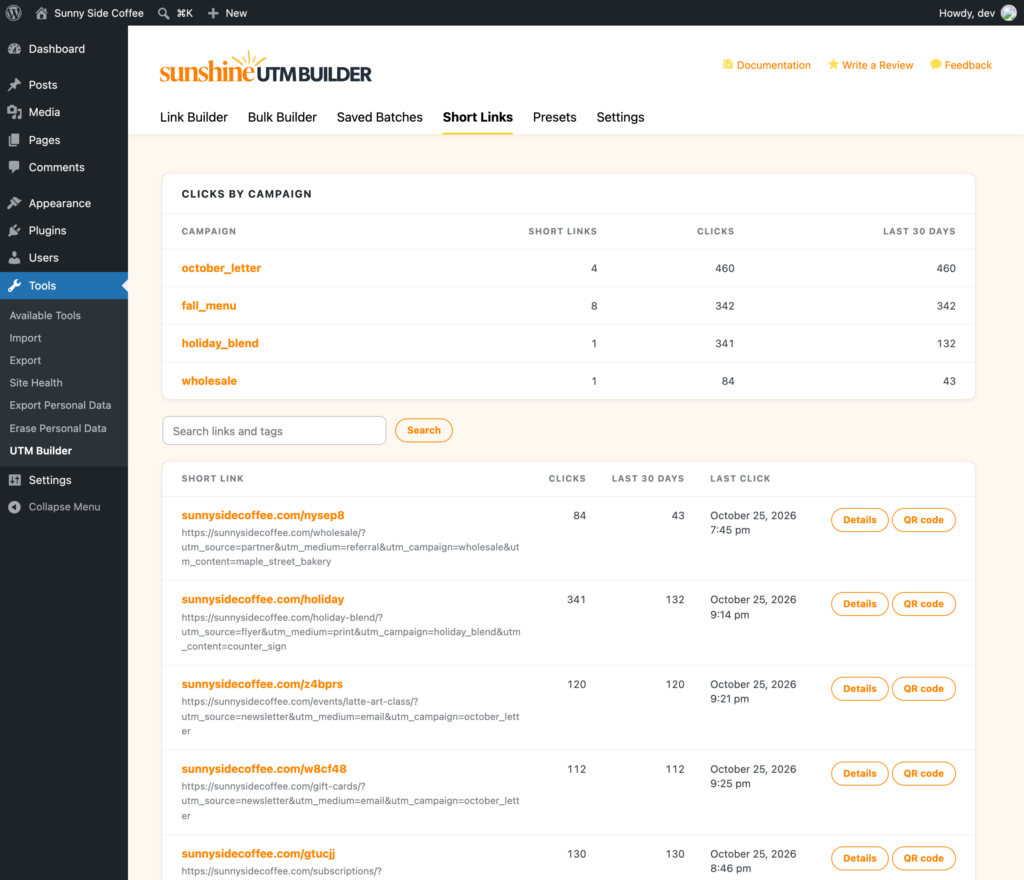
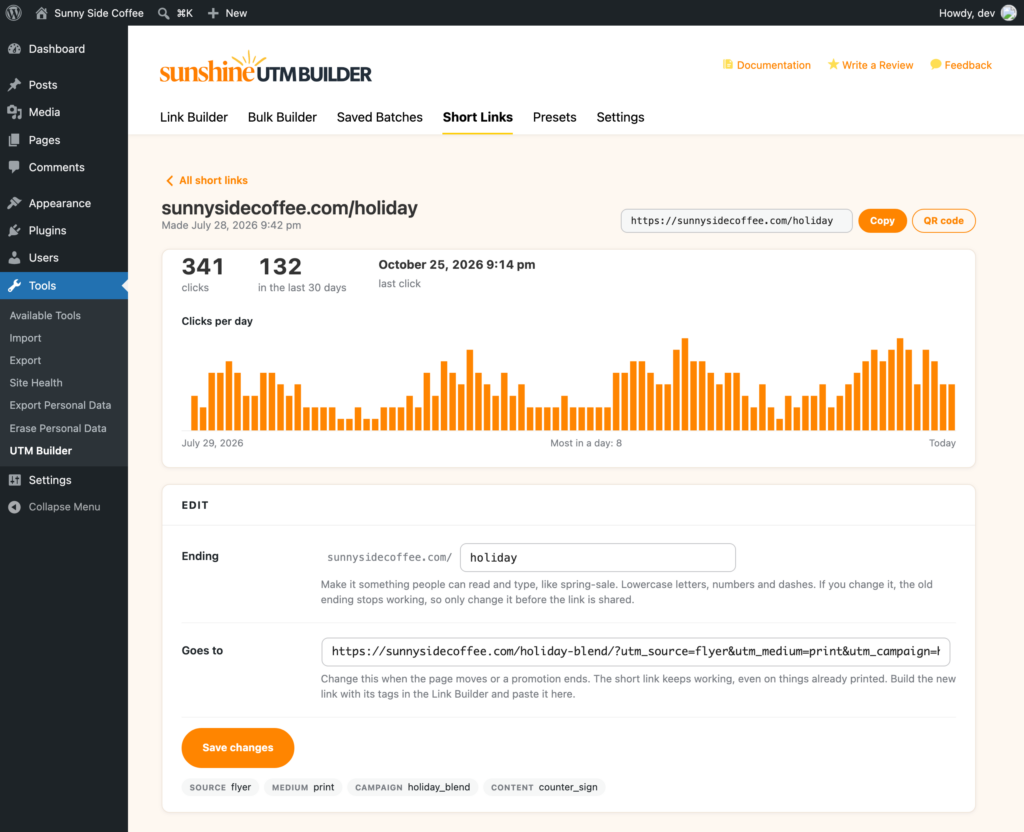
Every short link counts its clicks and has its own page with clicks per day for the last 90 days. Because each short link knows its UTM tags, the Short Links tab also adds up clicks by campaign, so you can see how a whole campaign did at a glance.
Bots and link previews (like the one Facebook makes when you post a link) aren’t counted, and nothing is stored about the person who clicked. The visits themselves still show up in Google Analytics, with the tags you set.
Presets and team lists keep every UTM link consistent
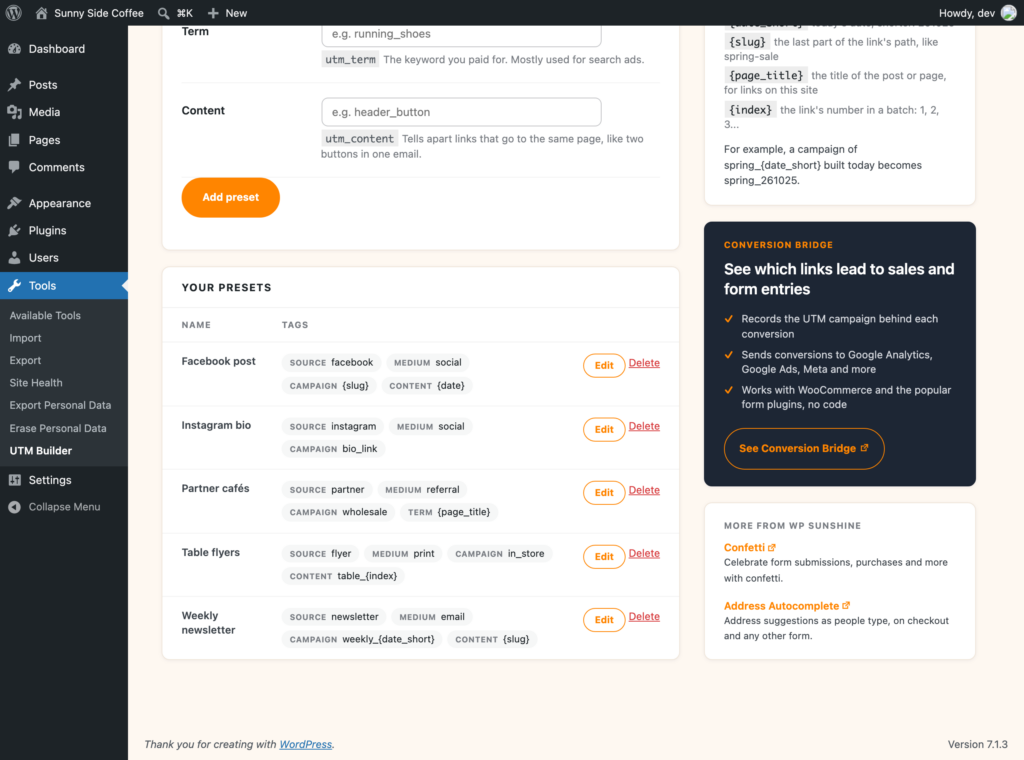
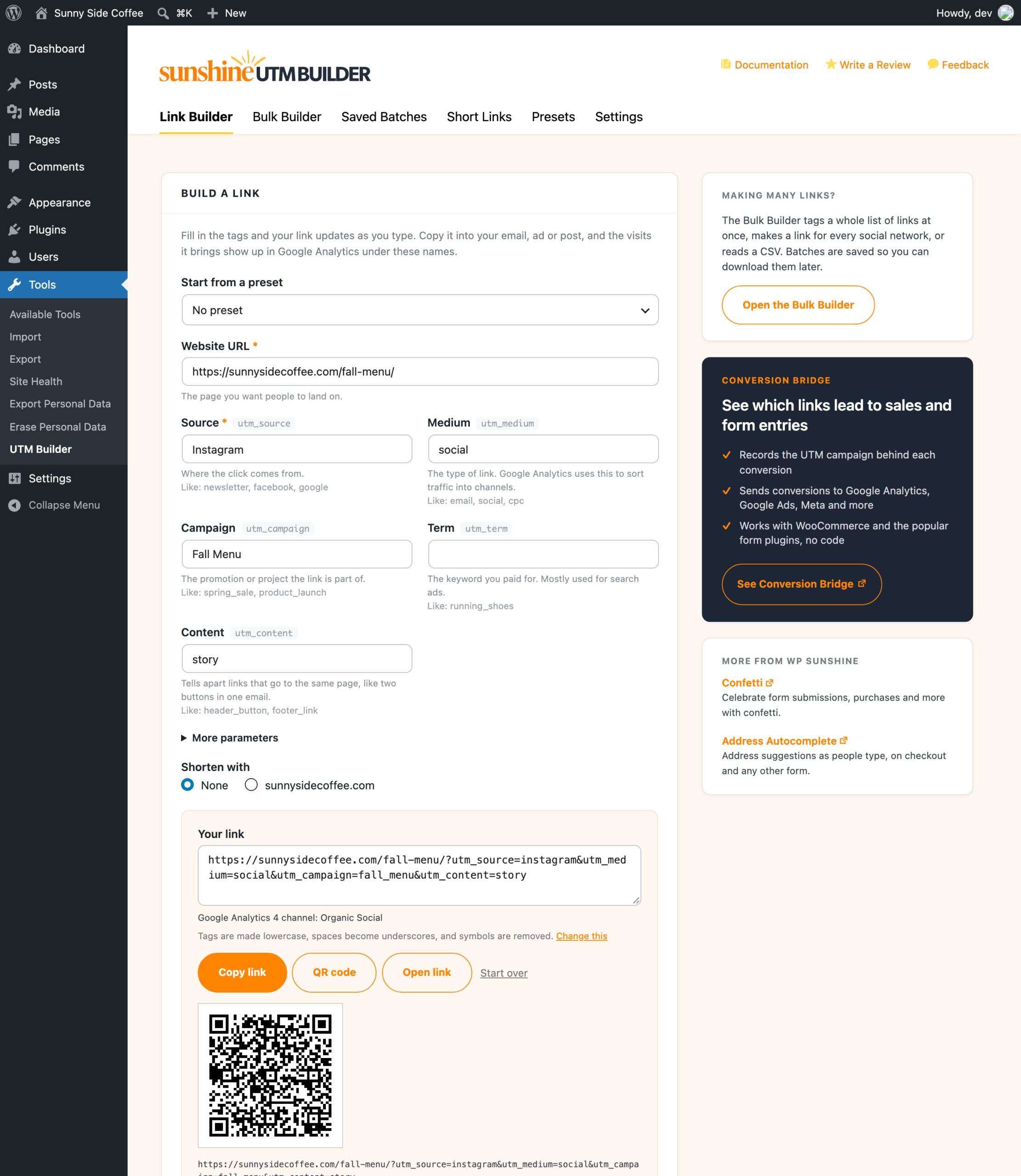
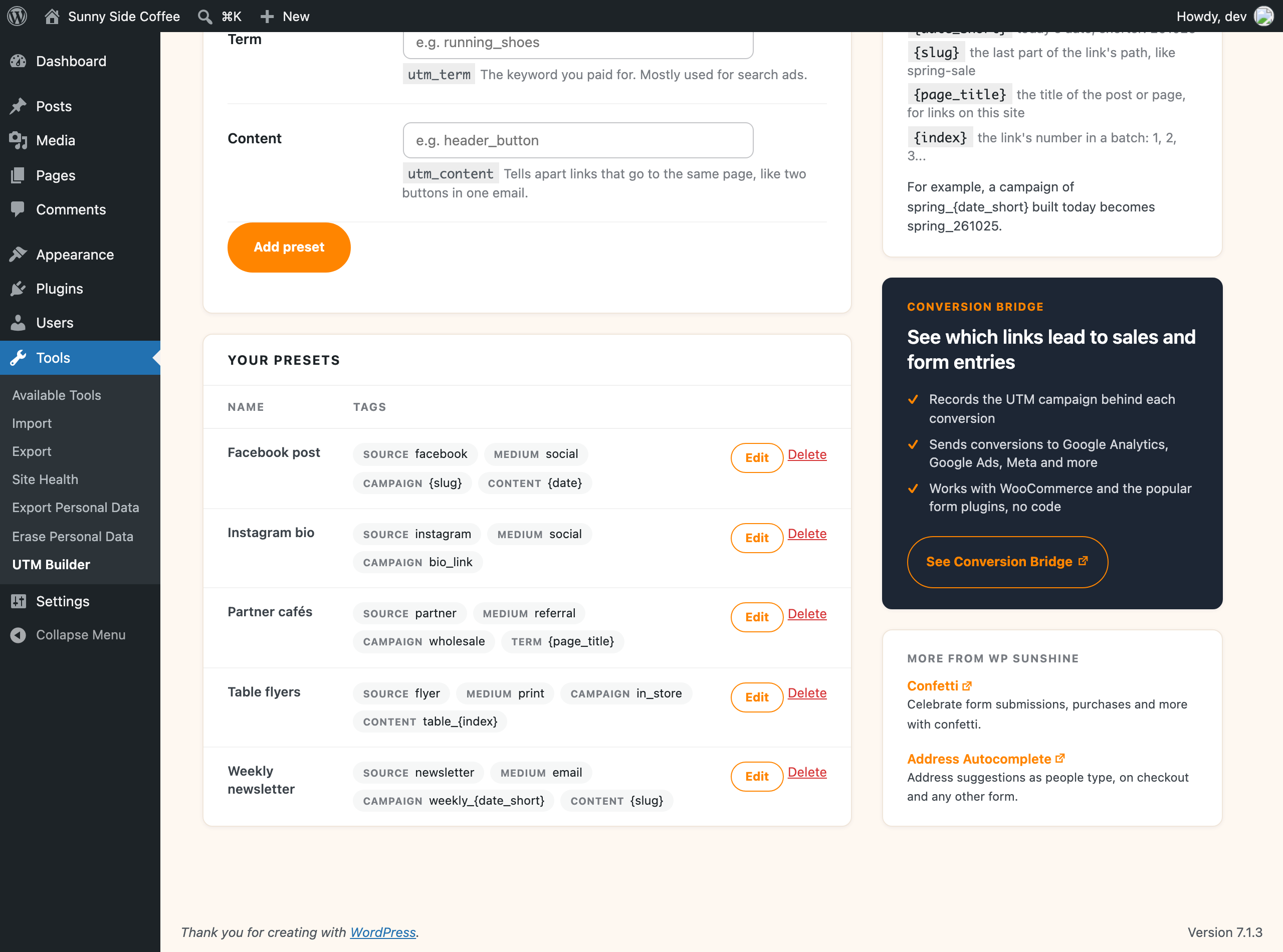
Google Analytics treats Facebook, facebook and fb as three different sources, and one person typing it differently is enough to split a campaign into separate rows in your reports. Presets are saved templates for the tags you use a lot, like your newsletter or a partner’s links, and they can fill in the page’s slug, its title or today’s date for each link.
Formatting rules clean up every tag (capitals, spaces and symbols), and team lists hold the sources and mediums your team uses. Turn on “Only allow these” and a link with anything else isn’t made, whether it comes from the builder, the Bulk Builder, the REST API or an AI assistant.
A bulk UTM builder for whole campaigns
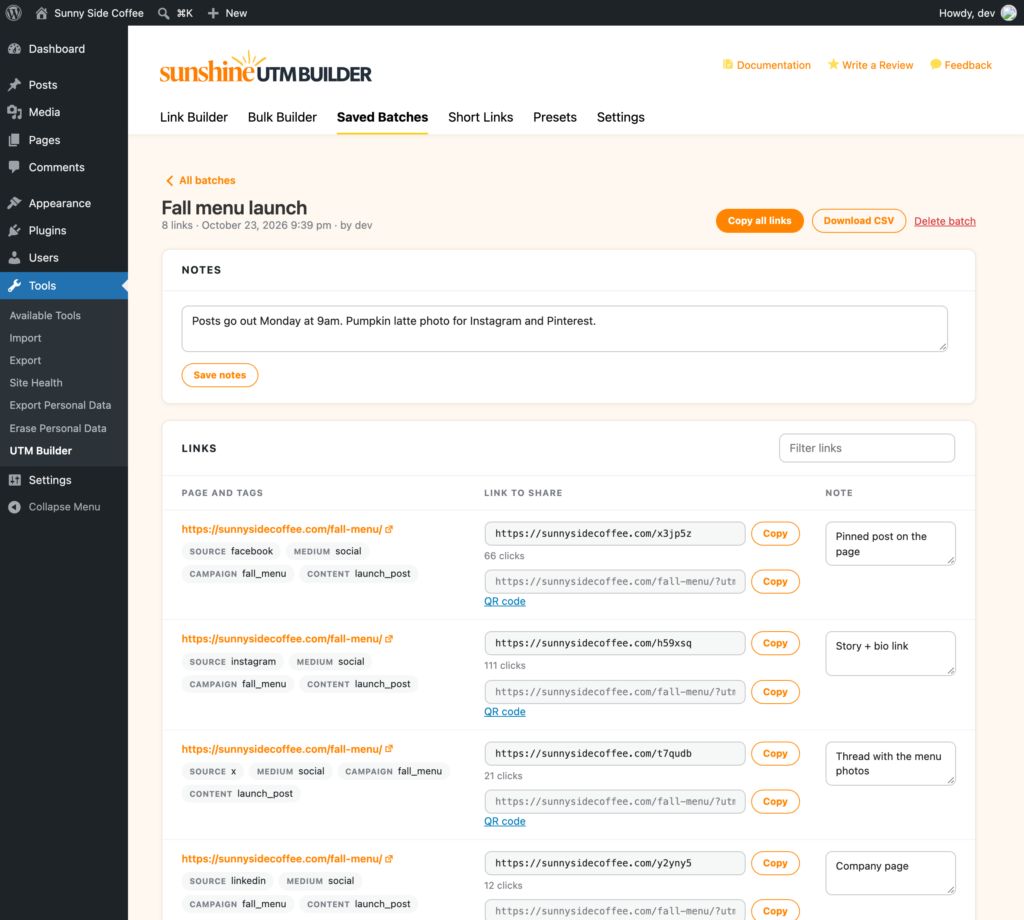
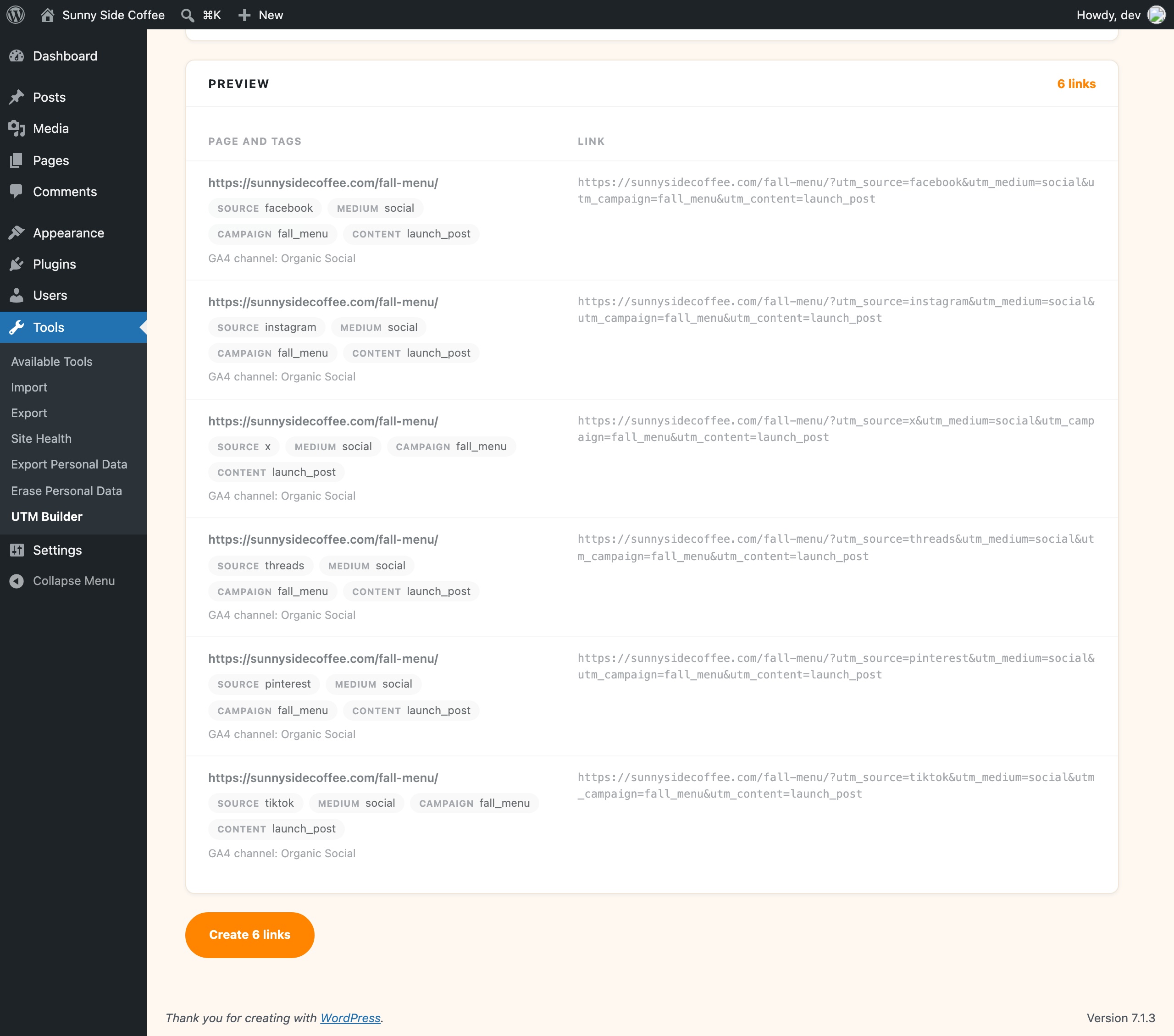
Most campaigns need more than one link. The Bulk Builder makes up to 2,000 in a batch, four ways: a list of pages that all get the same tags, one link per social network, every combination of a few tag values (handy for testing ad versions), or a CSV file with its own tags on each row.
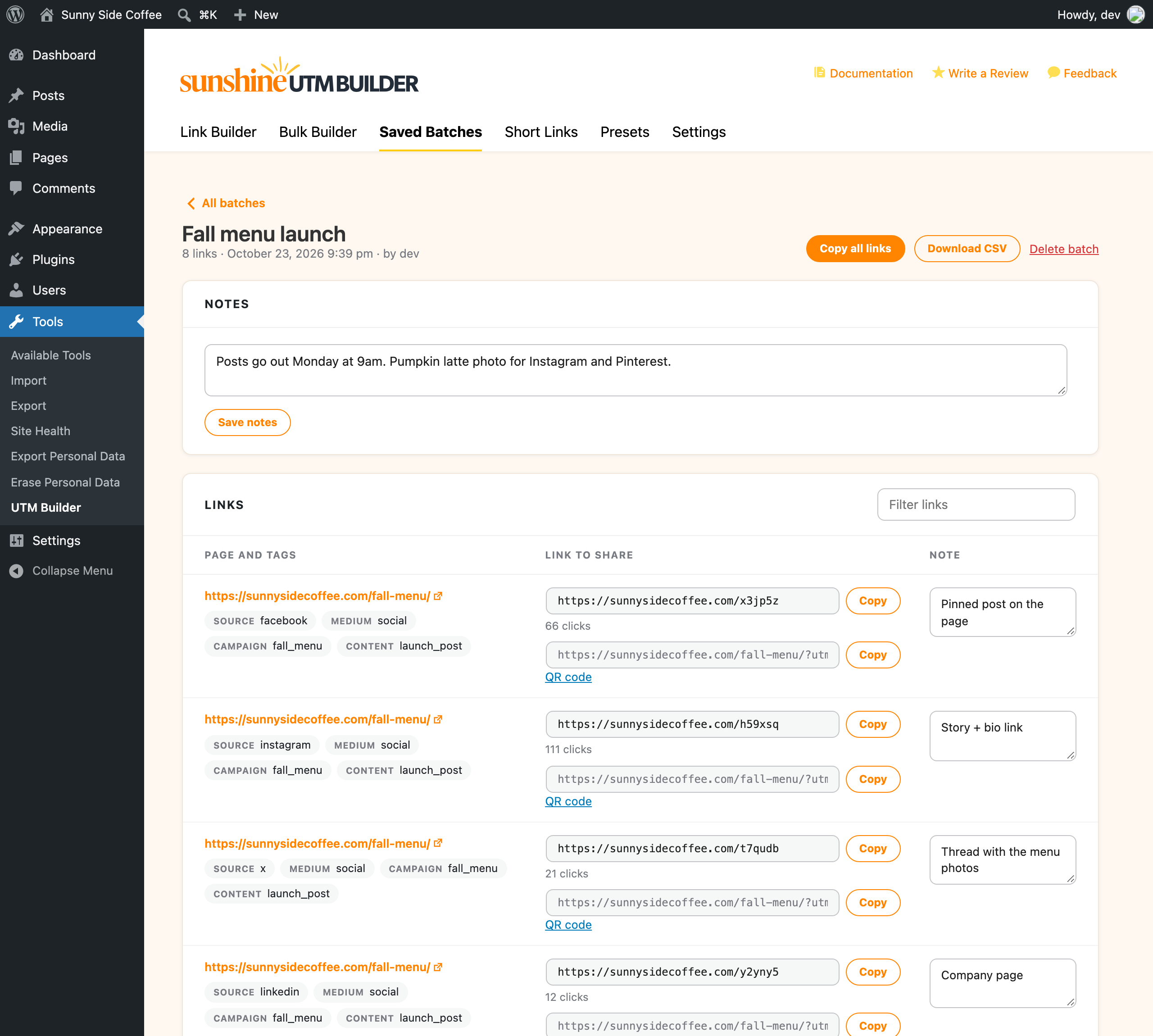
A preview shows the links before anything is saved, and every batch is kept with notes on the batch and on each link. Months later you can search for the link you sent a partner, copy it, or download the whole batch as a CSV.
QR codes you can change after they're printed
Flyers, menus, business cards and event signs can’t hold a clickable link, but they can hold a QR code. Every link in the plugin can be downloaded as a QR code, as a PNG for most uses or as an SVG for print, since an SVG stays sharp at any size.
Make the QR code from a short link on your own domain and you get two extras: the scans show up as clicks, and you can change where the code goes later without reprinting anything.
A UTM builder that knows how GA4 sorts your traffic
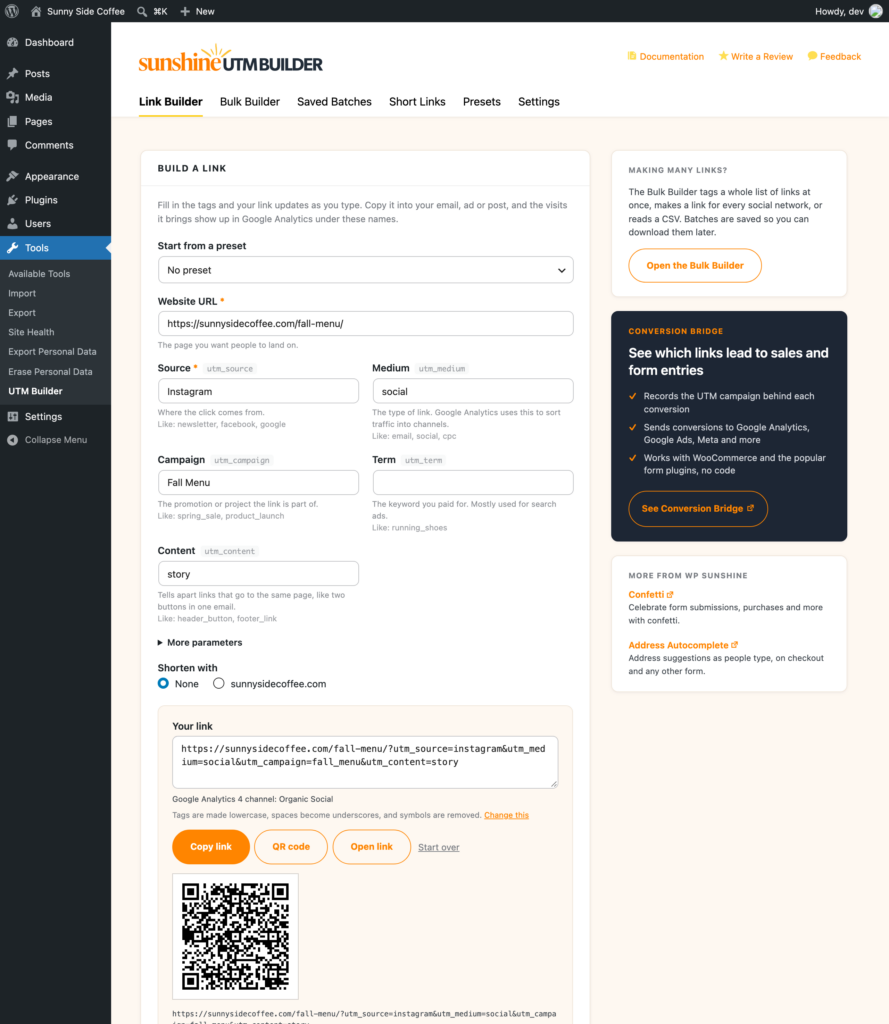
Google Analytics 4 puts every visit into a channel using a fixed set of rules, and the medium on your link decides most of it. A medium GA4 doesn’t know, like newsletter, fb or qr, sends those visits to “Unassigned”, where they’re hard to make sense of later.
The builder checks each link against Google’s published channel rules before you share it. When a link would end up as Unassigned, it tells you why and suggests a medium GA4 does know, like email instead of newsletter, and the Bulk Builder’s preview shows the channel for every link in the batch.
Right where you already work
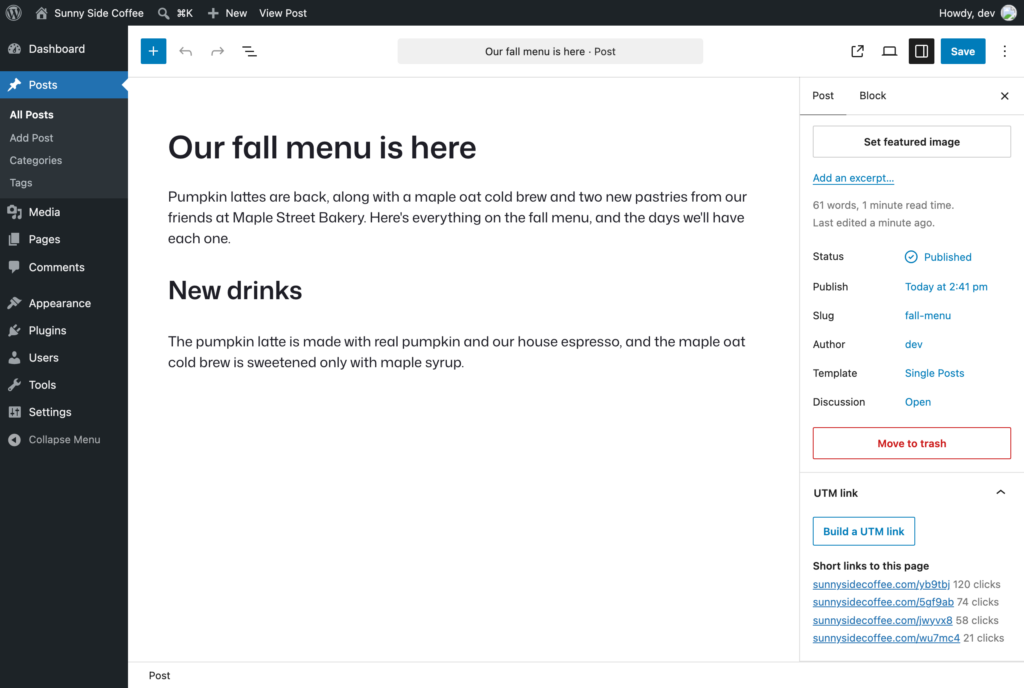
A UTM link button in the admin bar opens the builder with the page you’re looking at already filled in, and the same shortcut sits under each post in your post lists. In the block editor, a UTM link panel builds a link to the post and lists its short links with their clicks.
You choose which post types get these shortcuts in Settings, and each one can be turned off if you don’t need it.
Built for AI assistants
Ask your AI assistant for a tagged link to your spring sale page, and it makes the link on your site with your presets, formatting rules and short links.
- Builds one link or a whole batch, and looks up your presets
- Connects through the WordPress Abilities API and the MCP Adapter plugin
- A REST API for scripts, with your team lists still enforced
The abilities need WordPress 6.9 or later, and every request needs an administrator login.

Screenshots
FAQs
Is it really free?
Yes, every feature is free, and there’s no paid version, no upgrade and no account to sign up for.
Do I need a Bitly account?
No, short links are made on your own domain with nothing to sign up for. If you already use Bitly or Rebrandly, you can connect your account and pick it for any link.
Why use a plugin instead of Google's Campaign URL Builder?
Google’s Campaign URL Builder is great for a quick one-off link. This plugin keeps your links saved in WordPress, applies the same formatting rules every time, checks the GA4 channel, makes short links on your own domain with click counts, and builds hundreds of links at once.
Does it work with Google Analytics 4?
Yes, GA4 reads the same utm_source, utm_medium, utm_campaign, utm_term and utm_content tags, and you can add utm_id and GA4’s other tags under “More parameters”.
Do short links on my own domain need anything set up?
They work from the start and only need pretty permalinks, which almost every site already has (any setting other than Plain under Settings → Permalinks).
Can I change a short link after I've shared it?
You can change where it goes on the short link’s page, and everyone who clicks it from then on lands on the new page, even from something already printed. The ending (the part after your domain) is best chosen before you share it, since changing it stops the old one from working.
Does it track visitors?
It only counts clicks on short links on your own domain, as a number per day, with nothing stored about the person who clicked. The visits themselves show up in Google Analytics or whichever analytics tool you use.
Can an AI assistant make links for me?
Yes, the plugin adds abilities through the WordPress Abilities API (WordPress 6.9 and later), so AI assistants can build links on your site through the MCP Adapter plugin, using your presets and formatting rules.
Where is my data stored?
Everything is stored in your WordPress database, and presets, batches, short links and click counts never leave your site. Links are only sent out when you shorten them with Bitly or Rebrandly, or when link checks load your pages.
Build your first UTM link in a minute
Enter your email to get UTM Builder in your inbox, free.
You’ll also get the occasional email about WP Sunshine plugins, and you can unsubscribe anytime.

See which links lead to sales
UTM Builder counts the clicks, and Conversion Bridge records the UTM tags behind every sale and form entry on your site. With both plugins active, the Short Links tab shows conversions next to clicks for each short link.