Address Autocomplete
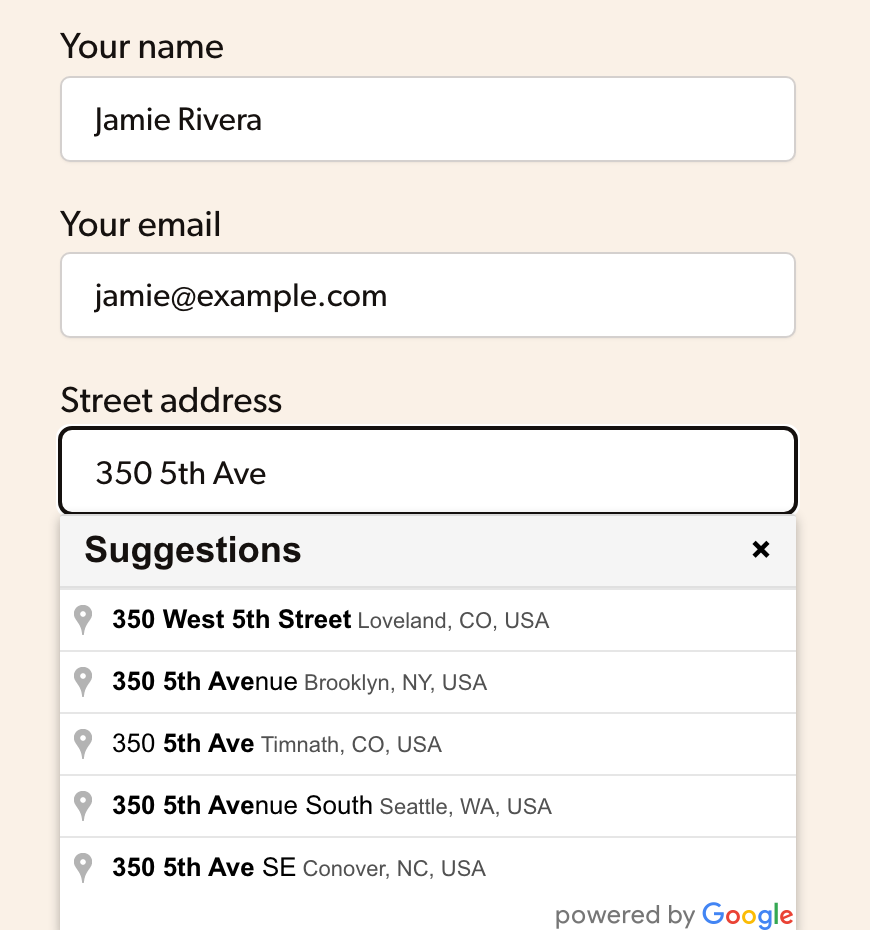
Add Google address suggestions to anything on your WordPress site. When someone picks an address, the street, city, state, ZIP and country fields fill themselves in, with one-click setup for WooCommerce, Gravity Forms, GiveWP and 8 more plugins.
- Works on any form on your WordPress site
- One-click setup for 11 plugins
- Pick your address fields with a click, no code


“Excellent code, lightweight, works beautifully” jessedw44

“Excellent documentation, reliable support available from a truly competent developer” joy0114

Great Ratings

Fantastic Support

Easy-to-Use

Make life easier for users with address autocomplete
See all the features and integrations of our address autocomplete WordPress plugin

Works on any form on your site
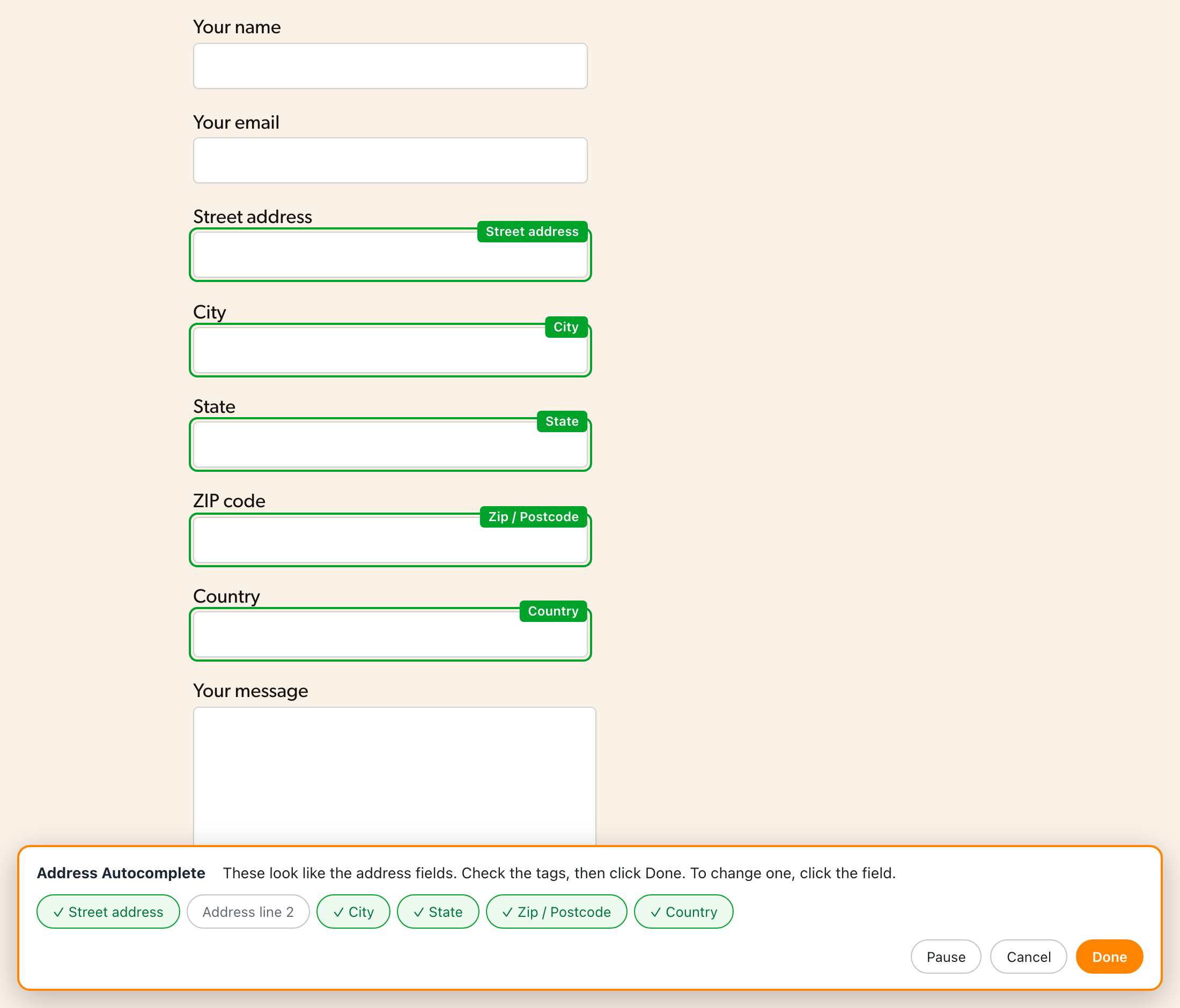
Choose the page with your form and click “Pick fields”. The plugin finds the address fields and tags each one as the street, city, state, ZIP or country, so you don’t need to know CSS selectors or dig through your page’s HTML.

One-click setup for 11 plugins
Turn on a switch and address autocomplete is set up for you on WooCommerce (classic and block checkout), Gravity Forms, Easy Digital Downloads, LifterLMS, Paid Memberships Pro, MemberPress, GiveWP, Charitable, Paymattic, Tutor LMS and FluentCart.

Unlimited forms, all of Google’s address data
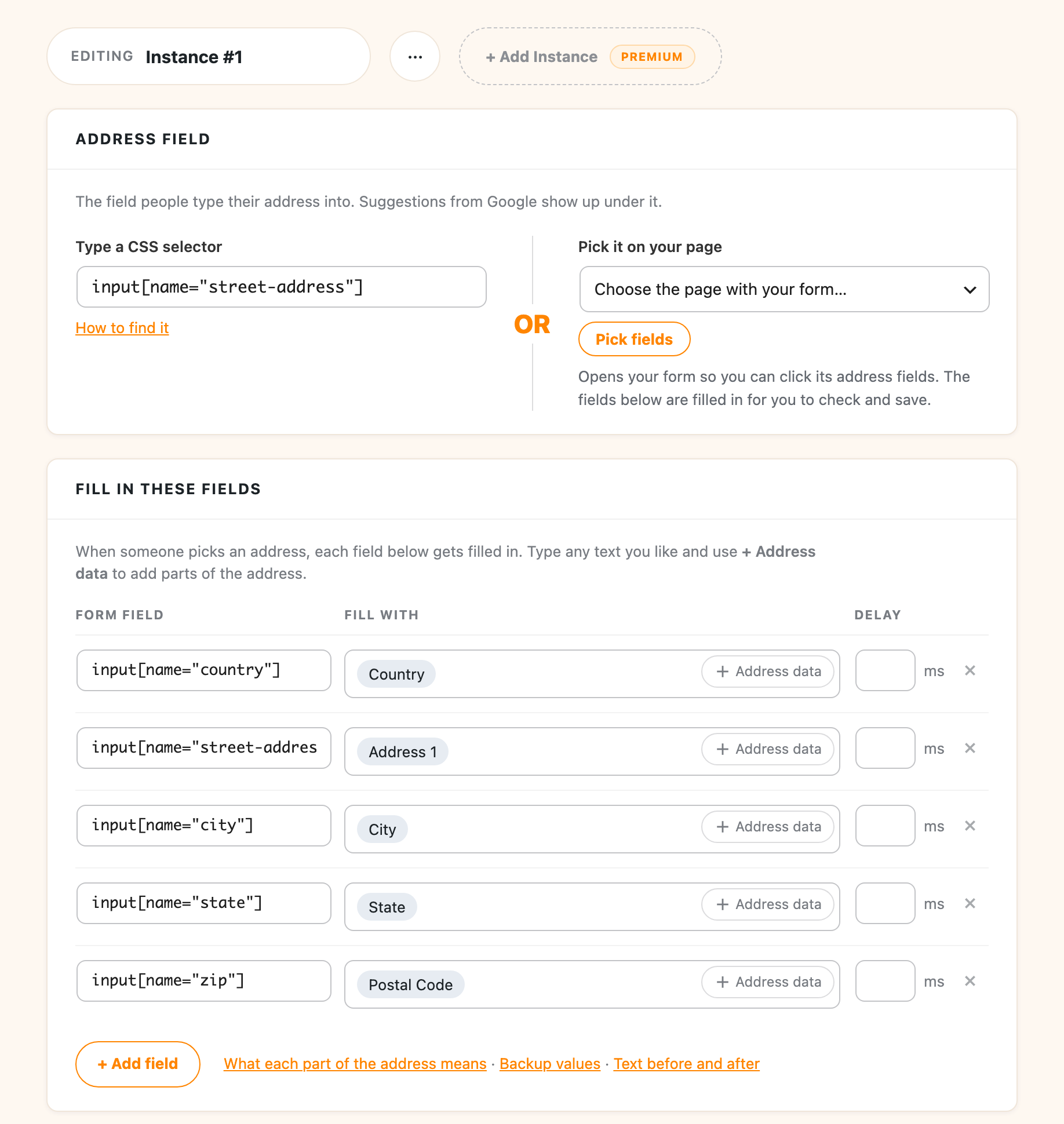
Set up as many forms as you need, each with its own fields, countries and pages. Fill in any part of Google’s address data, from the country and postal code to the business name, neighborhood, latitude and longitude.
Buy Address Autocomplete!
Annual
Lifetime
Licenses will automatically renew one calendar year after purchase. This can be cancelled at any time.

100% Money Back Guarantee
If for any reason you are not happy with this plugin, simply let me know within 30 days of your purchase and I will refund 100% of your money. No questions asked.


What Customers Say

Great plugin, very effective and simple. Excellent documentation, reliable support available from a truly competent developer. And for even greater simplicity and time savings: the premium version is definitely worth it, really!
Easy to install and set up. And it was easy to upgrade when I wanted to add a second form. Plus prompt customer service 🙂

It gives you accurate and professional autocomplete just like it claims. Download it now!

The WPSunshine team was very quick to respond to my questions. I needed WooCommerce with checkout block support so purchased the premium version. The integration is very slick and it is well worth the price. Highly recommended!

Derek and team have a powerful, yet almost seamless plugin. It’s incredibly cost effective as well. Thanks!

Was looking for a clean plugin that would auto complete an Elementor form – this did the trick

Super easy to use and great documentation.

This plugin does its intended job very well! Support is also excellent, acknowledging an issue and providing an update in a timely manner.

Address Autocomplete Anything is an absolute gem! It dropped into my WordPress stack without a hiccup and instantly elevated the form on my site—no more fat-fingered addresses or frustrated users.
What sold me, though, was the support team. When Google Maps results were not filling in NYC boroughs (Brooklyn not filling in properly?—come on, Google!), I opened a ticket expecting the usual back-and-forth. Instead, I got thoughtful replies and even a fresh plugin update that bypassed the Google quirk entirely. No manual tweaks on my end—update, activate, and it worked. That’s the kind of creative, reliable problem-solving you rarely see.
If you need rock-solid address autocomplete and lightning-fast support, don’t hesitate—this plugin is the real deal.

Screenshots
FAQs
Do I need a Google API key, and does it cost anything?
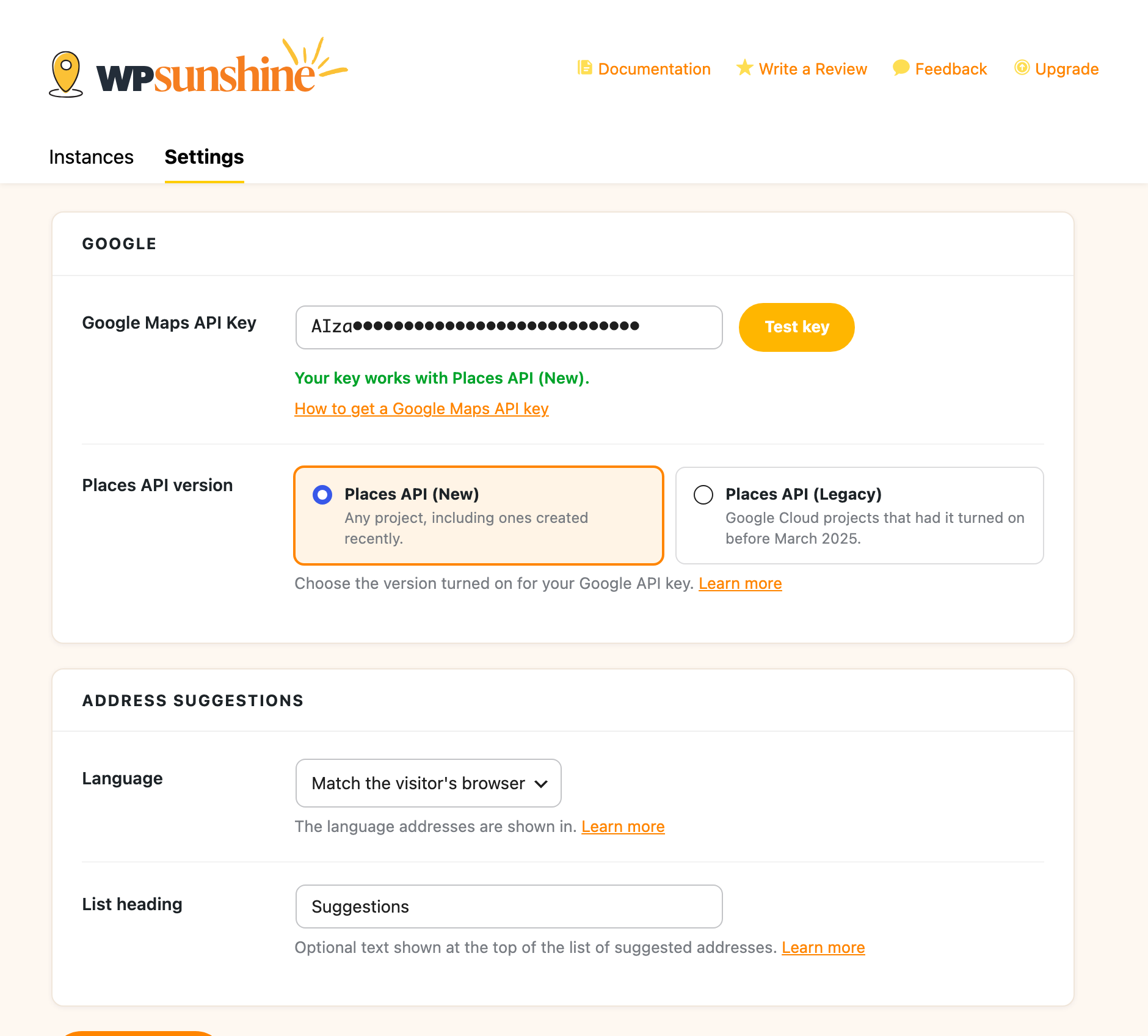
You need a free Google Maps API key. Google asks for billing details, but every account gets 10,000 free autocomplete requests and 10,000 free address lookups a month, so most sites are never charged. The setup wizard walks you through getting a key, and the Test key button checks it with Google.
Will it work with my form plugin?
One-click setup is included for WooCommerce, Gravity Forms, Easy Digital Downloads, LifterLMS, Paid Memberships Pro, MemberPress, GiveWP, Charitable, Paymattic, Tutor LMS and FluentCart. For any other form, the field picker finds the address fields for you, and you can still type in CSS selectors yourself if you prefer.
What is the difference between the free and premium version?
The free version works on one form with the standard address fields. Premium gives you as many forms as you need, one-click setup for 11 plugins, and more of Google’s data, like the business name, neighborhood, county, latitude and longitude.
Can I limit results to certain countries?
Yes. You can limit suggestions to up to 15 countries per form (5 if your site still uses Google’s legacy Places API). If your form has a country dropdown, the suggestions also follow whichever country the customer picks.
Does it use the new Google Places API?
Yes. Since version 2.0 it works with Google’s Places API (New), which is the only version Google lets new Cloud projects turn on. Sites already set up on the legacy Places API keep working and can switch whenever they like.
Does it work with the WooCommerce Checkout block?
Yes, with Premium. The WooCommerce integration sets up the billing and shipping address on both the Checkout block and the classic checkout. The free version works on the classic checkout.