Google Analytics 4 sorts visits into channels like Email, Organic Social and Paid Search using fixed rules, mostly based on the medium. A medium it doesn’t know, like fb, newsletter or qr, puts those visits under “Unassigned”, where they’re hard to make sense of. UTM Builder shows which channel every link will land in before you share it.
Where you’ll see it
- In the Link Builder, a line under your link says something like “Google Analytics 4 channel: Organic Social” and updates as you type.
- In the Bulk Builder, the preview shows the channel for every link.
When a link would land in Unassigned, the line turns into a warning. If it’s clear what you meant, it suggests a medium, like email when you typed newsletter:
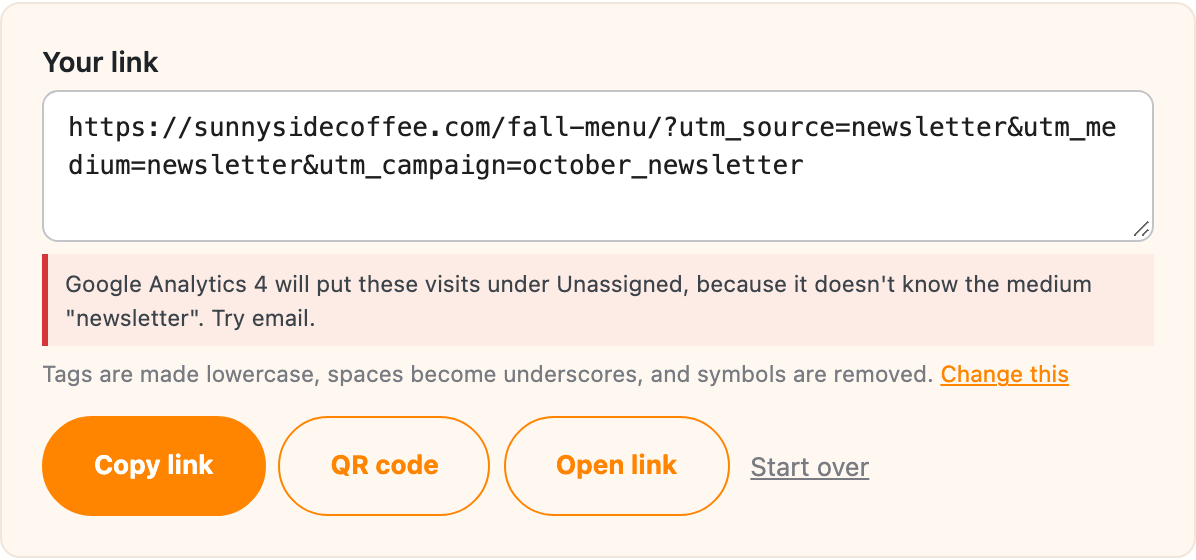
Otherwise it lists the common mediums GA4 knows: social, email, cpc, referral, affiliate and display.
Mediums GA4 knows
These are the ones that cover most links:
| What the link is | Medium to use | GA4 channel |
|---|---|---|
| A newsletter or email | email |
|
| A social post you didn’t pay for | social |
Organic Social |
| A paid ad (search or social) | cpc |
Paid Search, Paid Social or Paid Other, depending on the source |
| A banner or display ad | display |
Display |
| A link on someone else’s website | referral |
Referral |
| A partner or affiliate | affiliate |
Affiliates |
| A text message | sms |
SMS |
| A podcast or radio spot | audio |
Audio |
For paid ads, the source decides the channel: cpc with google as the source is Paid Search, and cpc with facebook is Paid Social.
What about QR codes and print?
GA4 has no channel for print or QR codes, so qr or print as the medium lands in Unassigned. A common choice is referral as the medium with the place it came from as the source, like flyer or menu, and the campaign saying which printing it was. If you’d rather keep qr as the medium, the links still work fine, and the visits will be under Unassigned.
How accurate is it?
The check follows Google’s published default channel rules. GA4 also sorts by source using a long list of websites (google is search, facebook is social and so on), and only the well-known ones are included in the plugin. So for an unusual source, the check may warn about Unassigned when GA4 would actually sort it, but it won’t tell you a link is fine when GA4 would call it Unassigned.
If you’ve set up your own channel groups in GA4, the plugin doesn’t know about those.
To stop your team using mediums GA4 doesn’t know, list the ones you want under team lists and turn on Only allow these.