You don’t have to copy a page’s address into the builder yourself. UTM Builder adds a “UTM link” shortcut in three places, and each one opens the Link Builder with that page already filled in.
The admin bar
While you’re logged in and looking at a post or page on your site, click UTM link in the admin bar at the top. The Link Builder opens with that page in Website URL. Any UTM tags already in the page’s address are left out, so you start clean.

Your post lists
In Posts, Pages and any other list you turn on, hover over a published post and click UTM link under its title. Drafts don’t get one, since a link to a page that isn’t published yet would go nowhere.

The block editor
When you edit a post, a UTM link panel shows in the post sidebar of the block editor. It has:
- A Build a UTM link button that opens the Link Builder in a new tab with the post filled in.
- Short links to this page, the short links on your own domain that point at this post, each with its clicks.
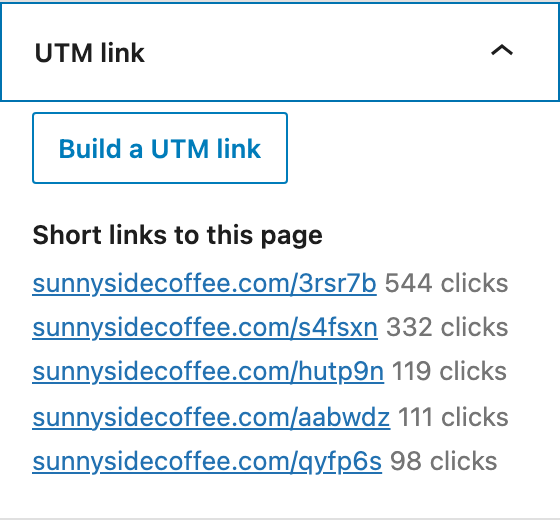
If the post isn’t published yet, the panel says to publish it first.
Choose where they show
Go to Tools > UTM Builder > Settings and look at the Shortcuts section:
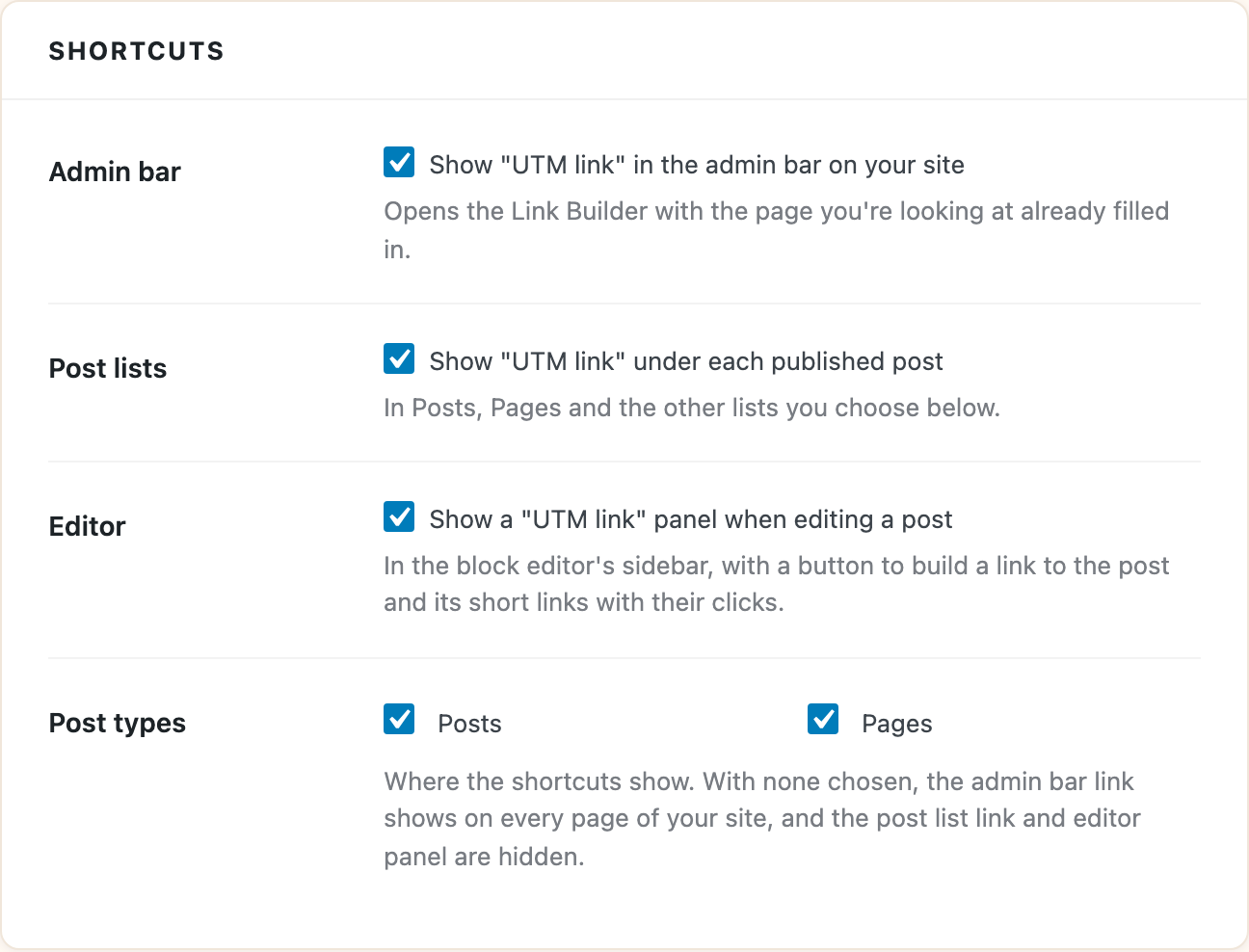
- Admin bar turns the admin bar link on or off.
- Post lists turns the link under each post on or off.
- Editor turns the block editor panel on or off.
- Post types chooses which kinds of content get the shortcuts. Posts and Pages are picked when you first install the plugin, and any other public type on your site, like WooCommerce products, is listed there too.
With no post types picked, the admin bar link shows on every page of your site (including your home page and archives), and the post list link and editor panel are hidden.
All three are on from the start, and only administrators see them.