A typo in a page address, or a post that was deleted last month, can put a broken link in an email or an ad that’s hard to take back. With link checks on, UTM Builder loads each page in a Bulk Builder batch before it’s saved, and marks any link to a page that doesn’t load.
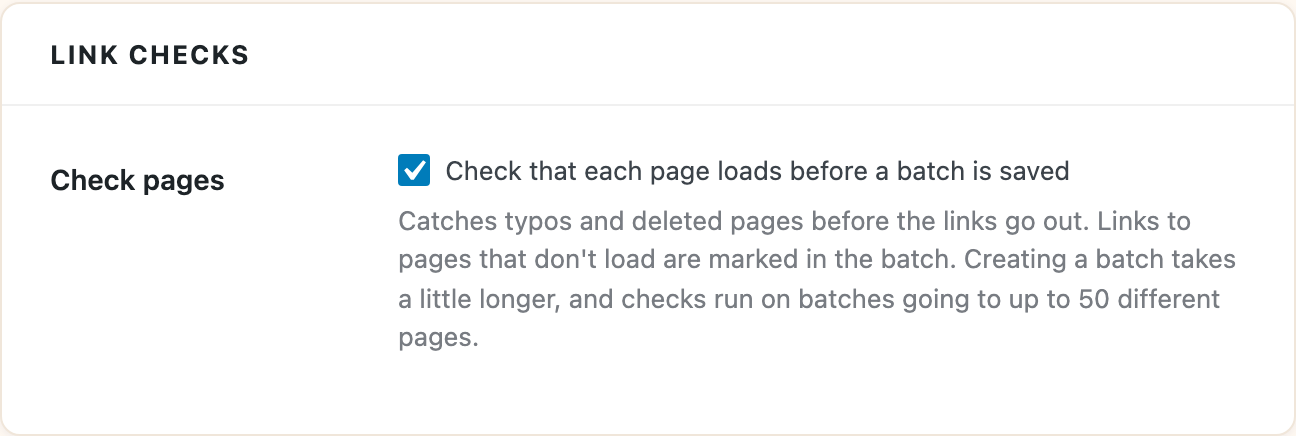
Turn them on
- Go to Tools > UTM Builder > Settings.
- Under Link checks, turn on Check that each page loads before a batch is saved.
- Click Save Changes.
They’re off until you turn them on.
What you’ll see
When you click Create links, each page is loaded once, even if several links in the batch go to it. The message at the end says how many links go to pages that didn’t load.
In the saved batch, those links are marked with a warning and the reason, like a “page not found” error or a page that took too long to answer. A note at the top of the batch says how many there are, and the CSV download has a link check column too.
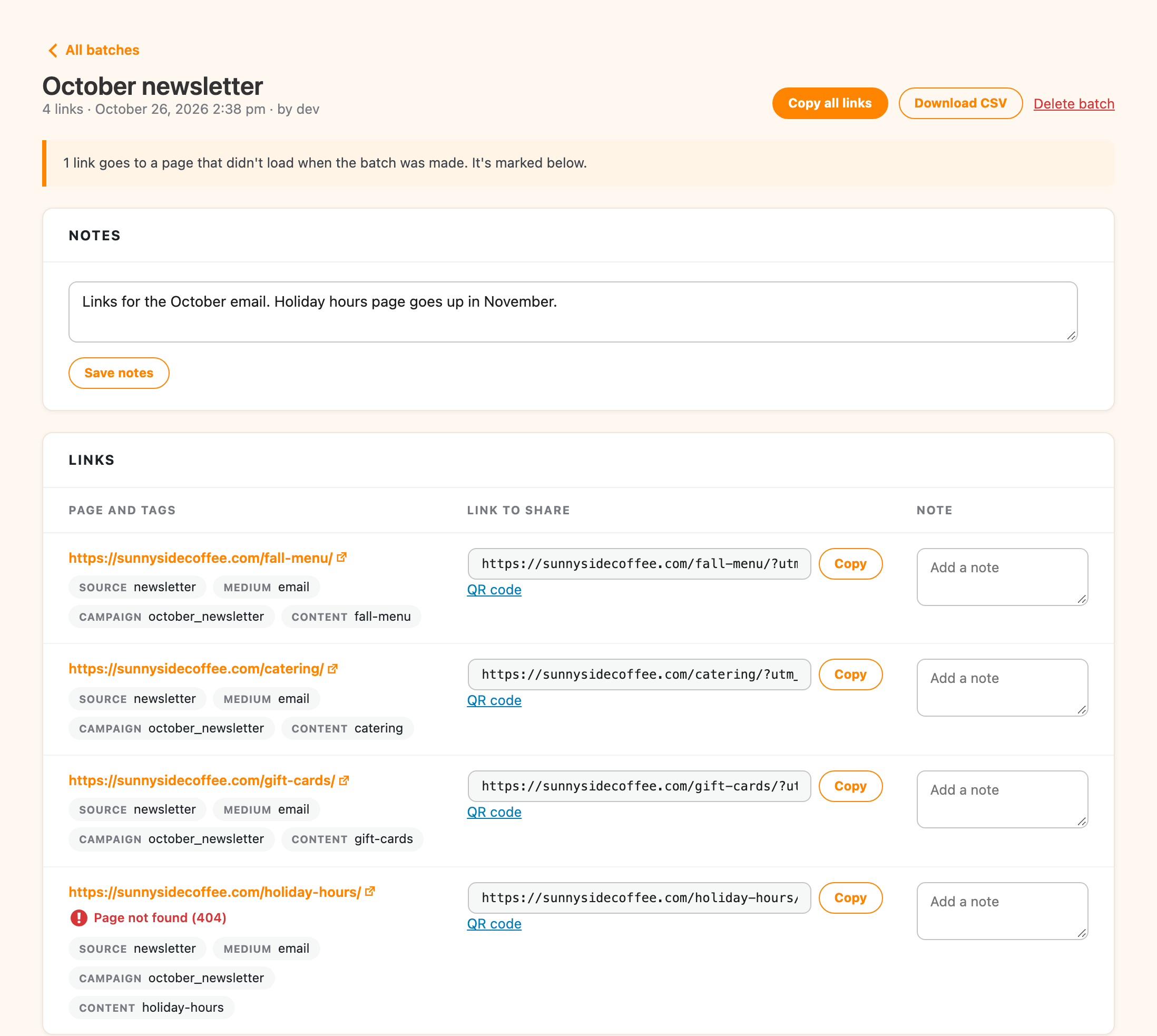
A marked link is still made, so you can fix the page and keep the link, or fix the address and make the link again.
Limits
- Checks run on batches going to up to 50 different pages. A batch with more than that is saved without checks, and the message says so.
- Each page gets about five seconds to answer. A slow page can be marked even though it loads in a browser.
- Creating a batch takes a little longer with checks on, since every page is loaded first.
Link checks are for the Bulk Builder. In the Link Builder, use Open link under your link to check the page yourself.
What’s sent
Each page is requested once to see if it loads. The request goes to whatever site that page is on, and nothing is sent besides the request itself.