Google has two versions of the Places API, the legacy Places API and Places API (New), and Address Autocomplete works with both of them since version 2.0. If you’re setting up a new Google Cloud project, use Places API (New), because Google no longer lets new projects turn on the legacy one.
Which one should I use?
Use Places API (New) unless your Google Cloud project already has the legacy Places API turned on and working. Since March 1, 2025, Google has not allowed new Google Cloud projects to turn on the legacy Places API, so for most people setting things up today, Places API (New) is the only choice anyway.
If your site already shows address suggestions with the legacy API, you don’t need to change anything. Sites that were using Address Autocomplete before 2.0 stay on the legacy API after the update.
Either way, you also need the Maps JavaScript API turned on for the same key. The Google Maps API key guide walks through turning on both.
How to choose it in the plugin
- In your WordPress admin, go to Settings > Address Autocomplete and open the Settings tab.
- Under Google, pick Places API (New) or Places API (Legacy) to match the API turned on in your Google Cloud project.
- Click Test key, which checks your key with Google and tells you which of the two it works with. If you picked the wrong one, it says which one to choose instead.
- Save your settings once the test passes.
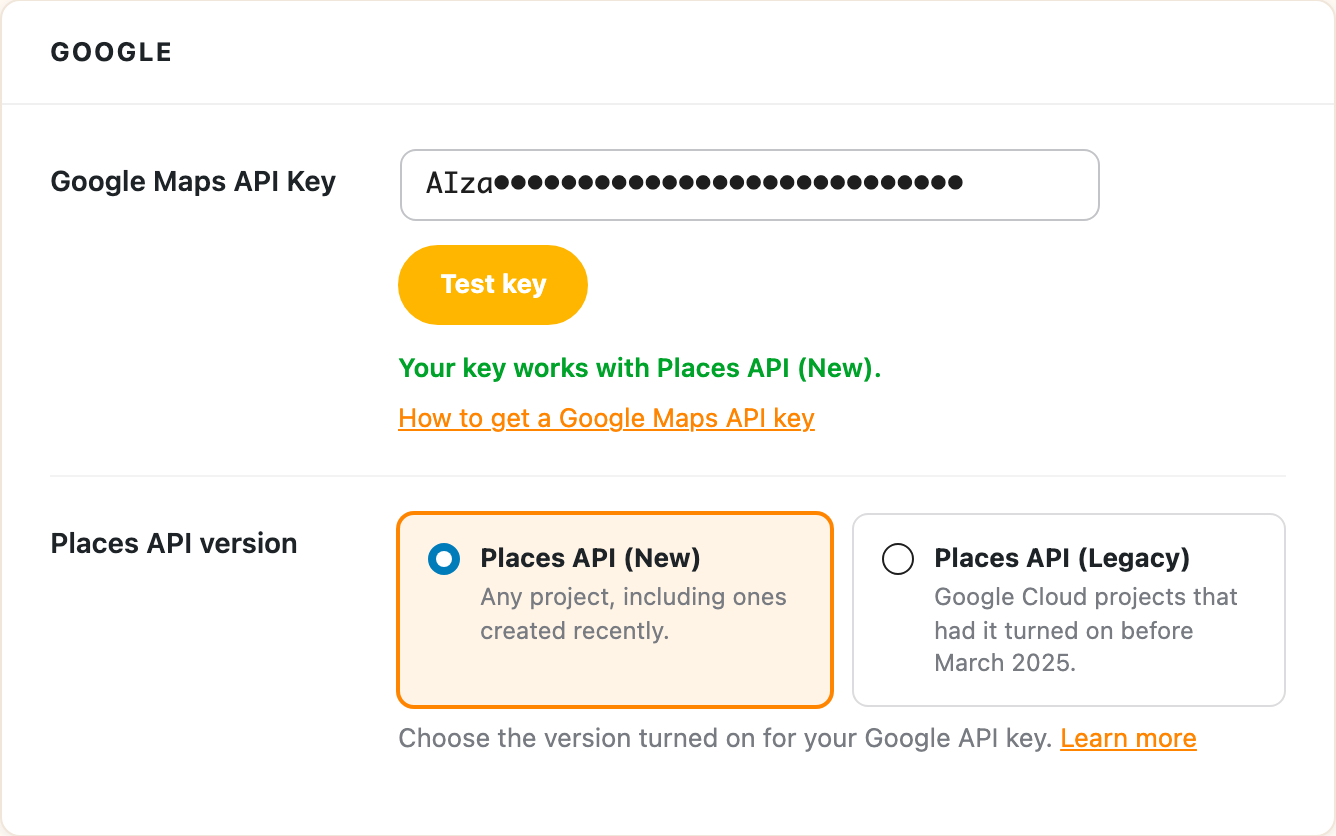
What’s different for your visitors
Your visitors won’t see a difference between the two, because with either API the suggestions show up in a list right under the address field that’s already on your form, and picking one fills in your street, city, state, zip and country fields.
Google’s own version of the Places API (New) autocomplete adds a separate address box to the page, which doesn’t work well inside other plugins’ forms. Address Autocomplete doesn’t use that box. It asks Google for the suggestions and shows them under your own field, so your form plugin saves the address the same way it would if the customer had typed it all in.
The warning in your browser console
On a site using the legacy API, you may see a warning like this in your browser console:

It says the legacy autocomplete isn’t available to new customers. If address suggestions are working on your site, you can ignore it. Switching to Places API (New) makes it go away.
How long the legacy Places API will keep working
Google hasn’t set a date to turn it off. They’ve said it keeps full support until then, and that they’ll give at least 12 months’ notice before shutting it down. If you’re on the legacy API, switching to Places API (New) at some point is a good idea, and it only takes turning it on in Google Cloud and changing the setting above.