If you already use Bitly or Rebrandly, you can connect your own account and shorten links with it right from the builder. You don’t need either one for short links, since short links on your own domain are built in and free, but some people want their links on a branded domain they’ve already set up there.
Connect Bitly
- In Bitly, open Settings, then Developer settings, then API, and generate an access token.
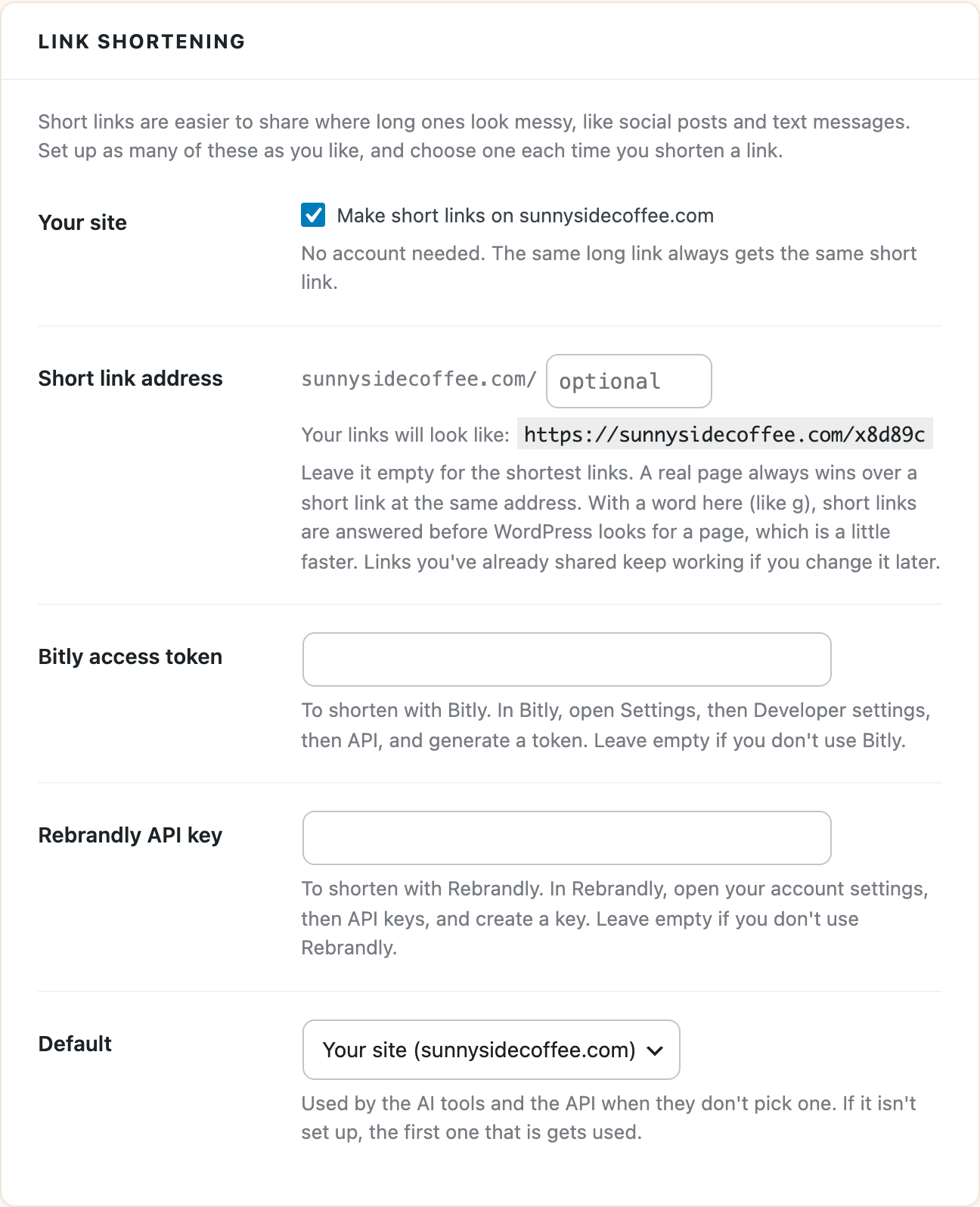
- In WordPress, go to Tools > UTM Builder > Settings and find Link shortening.
- Paste the token into Bitly access token and click Save Changes.
Connect Rebrandly
- In Rebrandly, open your account settings, then API keys, and create a key.
- In WordPress, go to Tools > UTM Builder > Settings and find Link shortening.
- Paste the key into Rebrandly API key and click Save Changes.
Shorten a link
Once a service is connected, it shows up under Shorten with in the Link Builder and under Short links in the Bulk Builder, next to your own domain. Pick it each time you want to use it. You can have all three set up at once.
The Default setting under Link shortening is the service the AI tools and the REST API use when they don’t ask for one. If the default isn’t set up, the first one that is gets used.
Things to know
- Bitly and Rebrandly make one request per link and count toward your plan with them, so in the Bulk Builder they work on batches of up to 50 links. Short links on your own domain work on any batch.
- The plugin doesn’t count clicks on Bitly or Rebrandly links. Those numbers are in your Bitly or Rebrandly account, and the visits show up in Google Analytics like any other tagged link.
- When you shorten a link with one of them, the link is sent to that service with your token or key. Nothing else is sent.
If a link won’t shorten, check the token or key in Settings first, then your plan’s limits with that service.