Click QR code next to any link and a QR code opens right below it, with Download PNG and Download SVG buttons. Use PNG for most things and SVG for print, since it stays sharp at any size.
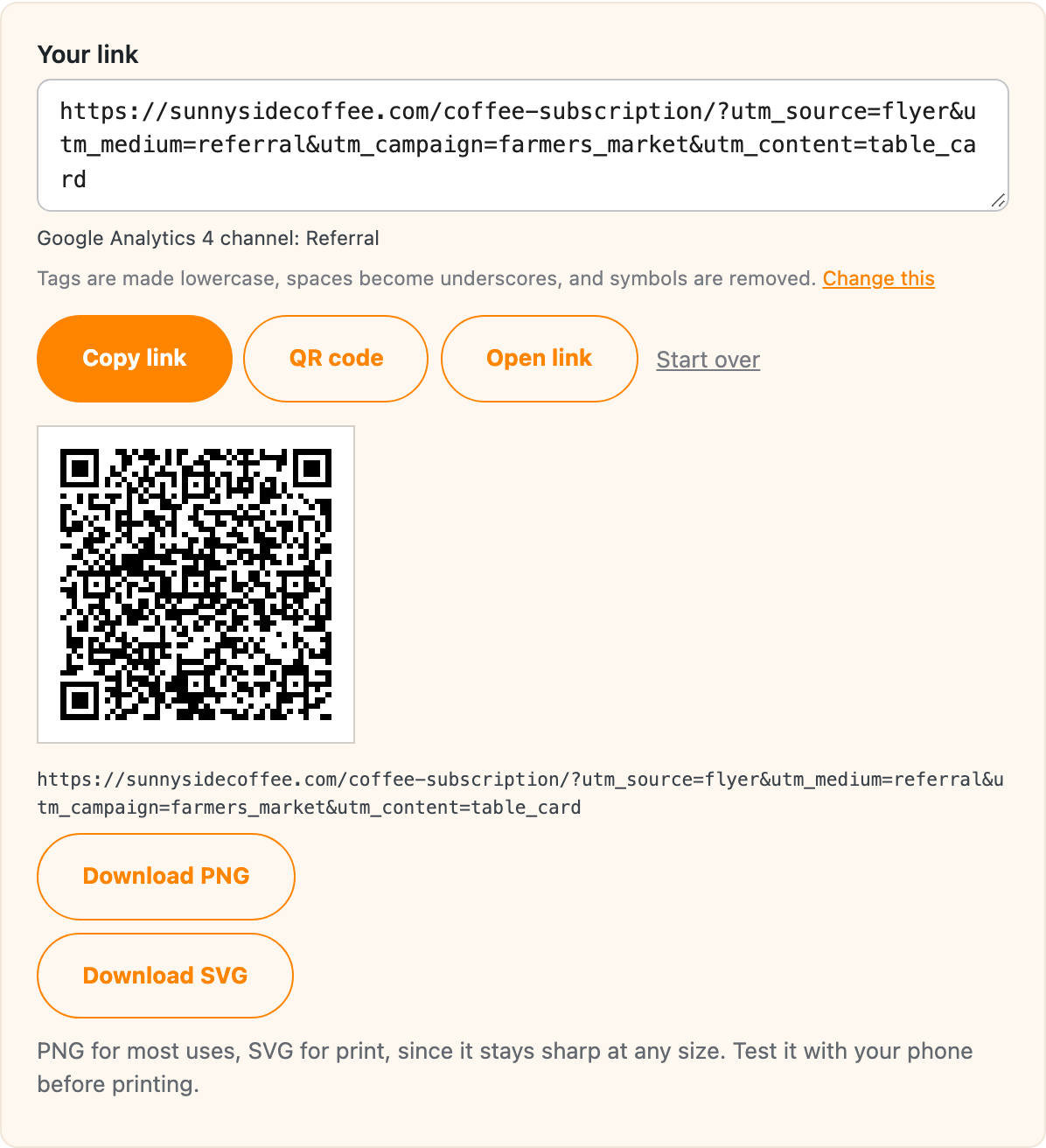
You’ll find the QR code button in these places:
- The Link Builder, under your link.
- The Short Links tab, next to each short link, and on each link’s Details page.
- Each link in a saved batch.
Test the code with your phone before you print it.
Make it from a short link
When a link has a short link, the QR code uses the short link. That’s worth doing for anything printed, for three reasons:
- A shorter link makes a simpler QR code, which scans more easily from far away or when it’s printed small.
- You can change where a short link goes later, so a menu or sign you’ve already printed can point at a new page without reprinting.
- Every scan of a short link on your own domain counts as a click, so you can see how many people scanned it.
In the Link Builder, pick your own domain under Shorten with first, then click QR code.
Do QR codes stop working?
No, a QR code holds a link and nothing else, and it’s made in your browser, with nothing stored on another service that could expire. A code made from a short link on your own domain works as long as the short link and the plugin are there.
Which tags to use for print
GA4 has no channel for QR codes or print, so a medium like qr puts those visits under Unassigned. The GA4 channel check has a suggestion for tagging printed links so they land in a channel.