Everything UTM Builder saves is in your own WordPress database: your settings, presets, saved batches, short links on your own domain and their click counts. None of it is sent to me or to any other service.
What’s stored about clicks
When someone clicks a short link on your own domain, the plugin adds one to that link’s total and to its count for the day, and that’s all it stores. There’s no IP address, cookie, browser or location saved for the person who clicked, so there’s nothing about them to ask consent for or to delete later.
What runs in your browser
QR codes and the Google Analytics 4 channel check are worked out in your browser while you use the builder. Nothing is sent anywhere to make them.
When anything leaves your site
A link only goes to another service in these cases, and only when you use them:
- Bitly or Rebrandly. When you shorten a link with one of them, the link is sent to that service with your own token or key. See shortening with Bitly or Rebrandly.
- Link checks. When they’re on, each page in a batch is requested once to see if it loads. The request goes to whatever site that page is on, and nothing is sent besides the request itself. They’re off unless you turn them on. See link checks.
When Conversion Bridge is active on the same site, UTM Builder reads its conversions from your database to show them next to your short links. That stays on your site too.
Deactivating the plugin
Deactivating keeps everything, but short links on your own domain stop working while the plugin is off, since it’s the part that sends visitors on to the full link. Turn it back on and they work again.
Deleting the plugin
Deleting the plugin from Plugins keeps your data by default, so reinstalling later brings back your presets, batches and short links.
To remove it all when you delete the plugin:
- Go to Tools > UTM Builder > Settings.
- Under Your data, turn on Delete presets, batches, short links and settings when the plugin is deleted.
- Click Save Changes, then delete the plugin from Plugins.
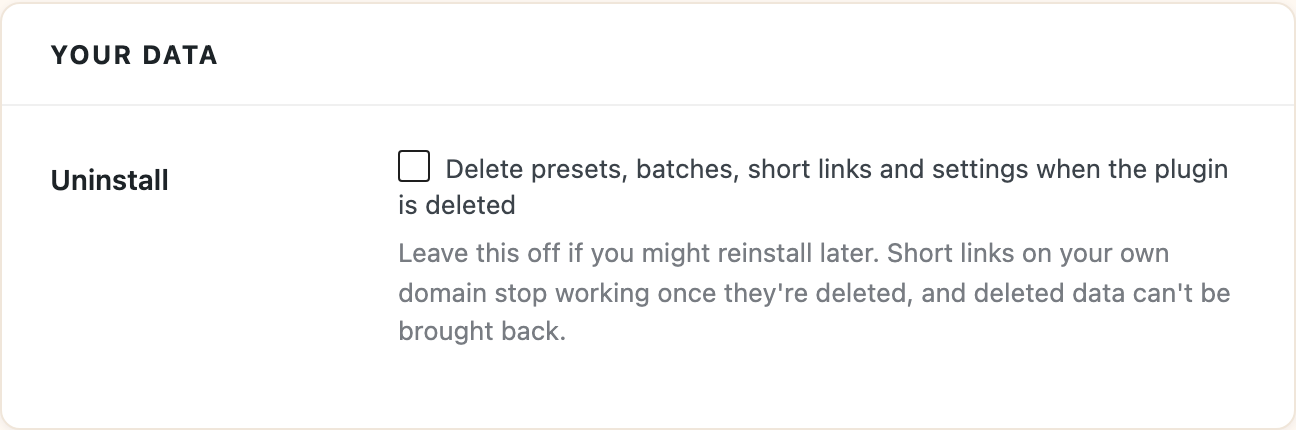
Short links on your own domain stop working once they’re deleted, and deleted data can’t be brought back, so leave this off if you might reinstall.