Every batch you make in the Bulk Builder is saved under Tools > UTM Builder > Saved Batches, so you can find “the links you sent the partner” months later without digging through old emails.
Find a batch
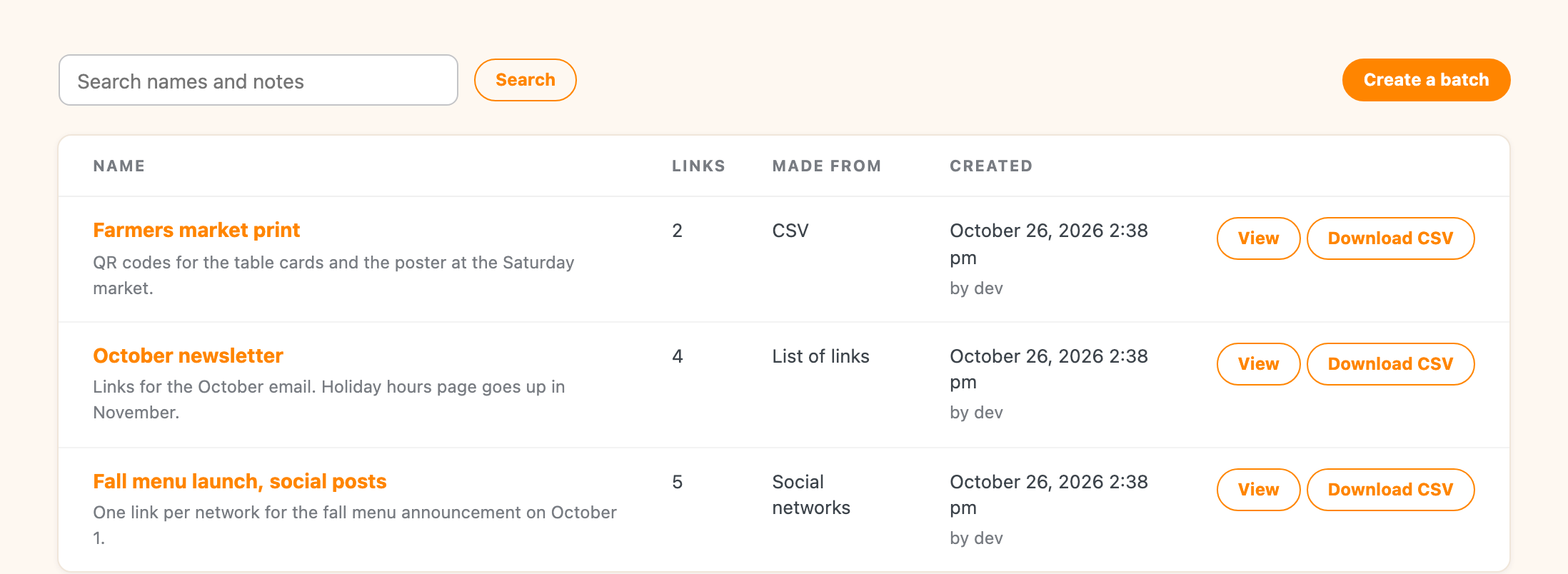
The list shows each batch’s name and notes, how many links it has, how it was made (a list of links, social networks, every combination, a CSV or the REST API), when it was made and by whom. Use the search box to look through batch names and notes.
Each row has View to open the batch and Download CSV to download it straight from the list.
Inside a batch
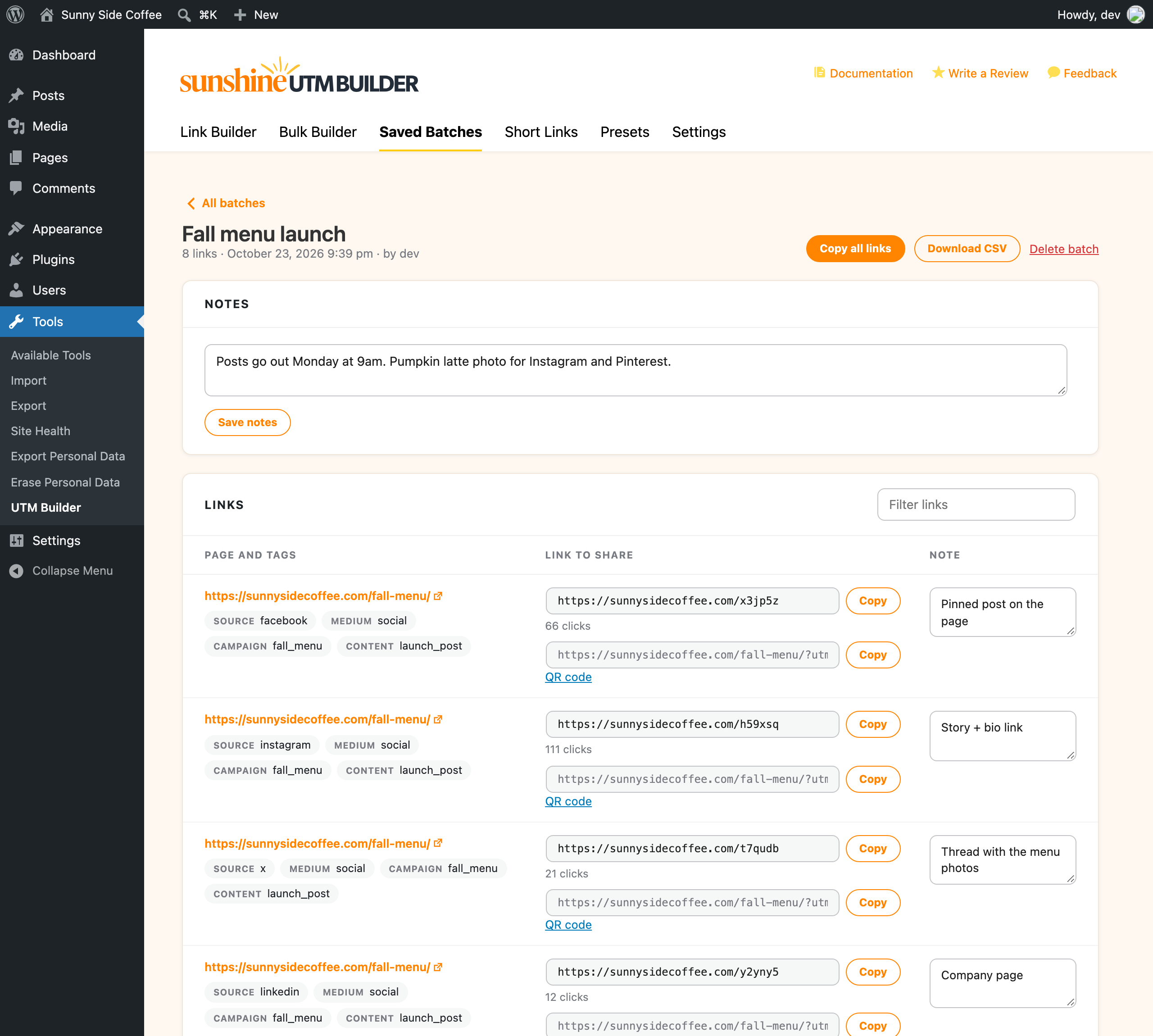
Each link shows the page it goes to and its tags, with the link to share next to it:
- If the link has a short link, that’s first with its own Copy button and its clicks so far, and the full tagged link is under it.
- Without a short link, you get the full tagged link and a Copy button.
- QR code makes a QR code for the link, using the short link when there is one. See QR codes.
At the top, Copy all links copies every link in the batch at once, one per line, using the short links where there are any. With more than five links, a Filter links box helps you find one.
If link checks were on when the batch was made, links to pages that didn’t load are marked with a warning and the reason, and a note at the top says how many there are.
Notes
The Notes box at the top of a batch is for the whole batch. Change it and click Save notes.
Each link also has its own Add a note box, for things like where that one link is used or who asked for it. Those save on their own when you click away, and you’ll see “Saved” next to the box.
Download a CSV
Download CSV gives you a file that opens cleanly in Excel and Google Sheets, with one row per link and these columns: the page, the full tagged link, the short link, each of the five tags, other parameters, the link’s note and its link check result.
Delete a batch
Click Delete batch at the top of a batch. The links you’ve already shared keep working, including short links on your own domain, but they won’t be listed here anymore. To stop a short link working, delete it on the Short Links tab instead.