Sunshine UTM Builder adds UTM tags to the links you share in emails, ads and social posts, so Google Analytics can tell you where your visitors came from. It’s free on WordPress.org, with no paid version and no account to sign up for.
Install the plugin
- In your WordPress admin, go to Plugins > Add New Plugin and search for “Sunshine UTM Builder”.
- Click Install Now, then Activate.
- Go to Tools > UTM Builder.
Only administrators can see the UTM Builder screens, since short links and settings change things for the whole site.
Build your first link
- On the Link Builder tab, put the page you want people to land on in Website URL. It starts out with your home page.
- Type a Source, like
newsletterorfacebook. That’s the one tag every link needs. - Add a Medium like
emailorsocial, and a Campaign likespring_sale, if you want them. - Click Copy link and paste it into your email, ad or post.
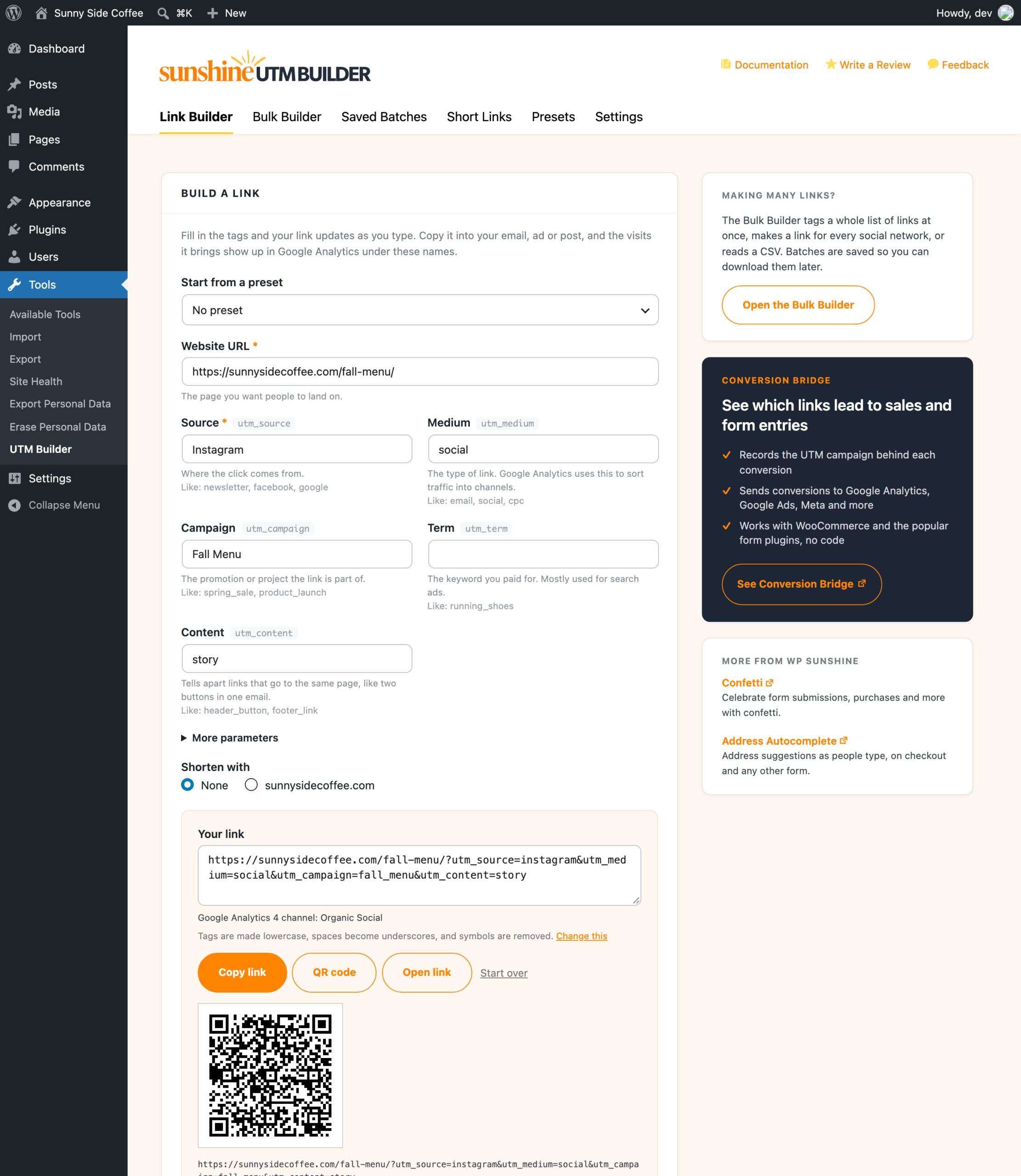
Your link updates as you type, and the line under it shows which Google Analytics 4 channel the visits will be counted in. How to build a UTM link in WordPress goes through every field.
What each tab does
- Link Builder makes one link at a time, with a short link and a QR code if you want them.
- Bulk Builder makes many links at once, from a list of pages, one link per social network, every combination of a few tags, or a CSV file. See how to build UTM links in bulk.
- Saved Batches keeps every batch from the Bulk Builder, so you can find, copy or download those links later. See saved batches.
- Short Links lists the short links on your own domain with their clicks. See short links on your own domain.
- Presets saves tags you use a lot, so you can fill them in with one pick. See presets and tokens.
- Settings holds the formatting rules, team lists, link checks, link shortening and shortcuts.
Settings worth a look first
Out of the box, tags are made lowercase, spaces become underscores, symbols are removed, and short links on your own domain are turned on. If your team already spells tags a certain way, like dashes instead of underscores, change the formatting rules before you share a lot of links, so your old and new links match in your reports.
If more than one person makes links on your site, team lists keep everyone using the same sources and mediums.